The platform · A tour of the free app
One week at a time.
One step to start.
Pick one small practice. Log a little, in a few words. See your week, not one day’s number. Any targets are yours to set, or skip. These are real screens, filled with sample data. Scroll, and tap to switch views.
Build my free planEducation and personal tracking. No diagnosis, prescribing, or treatment.
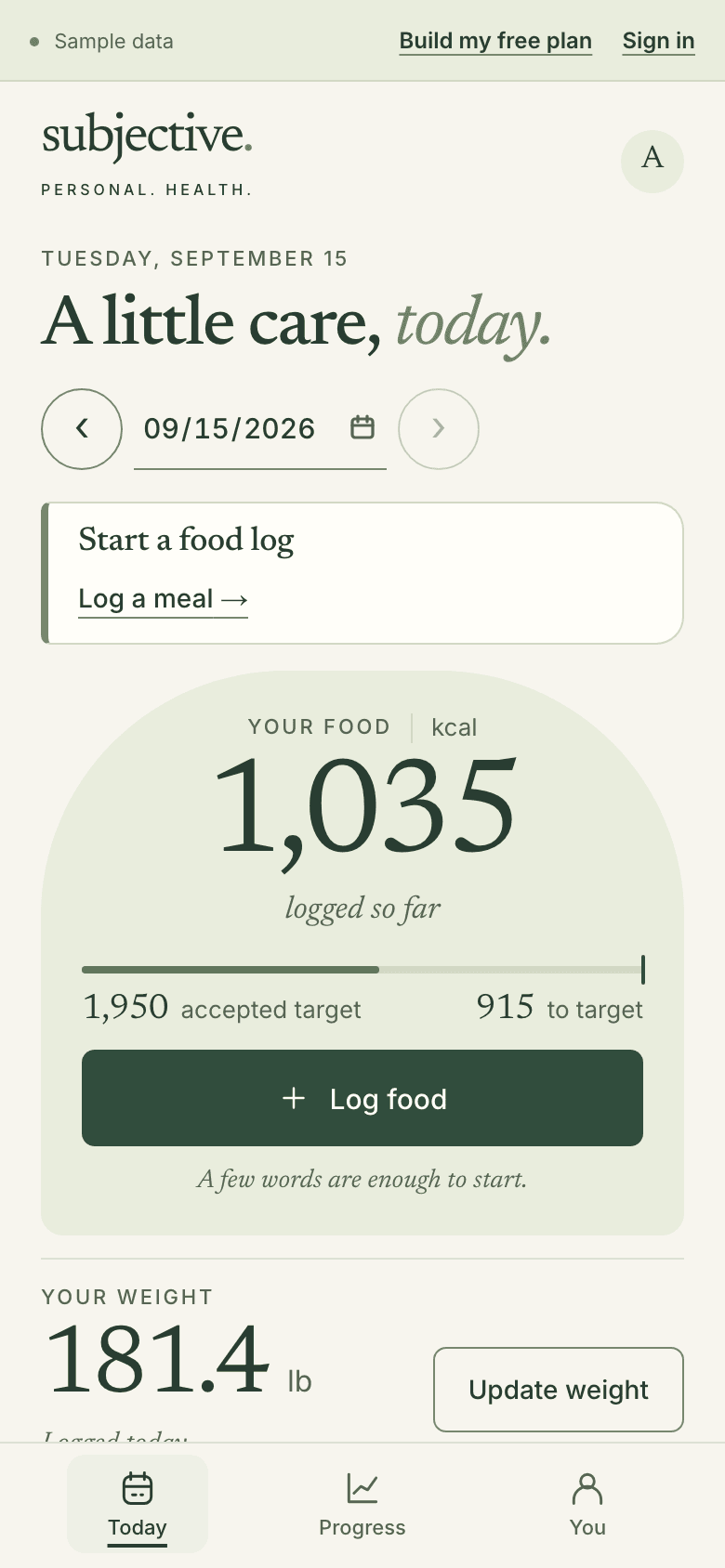
Real screens · sample data, not from a real person
Why the week
Your days will differ.
The week still adds up.
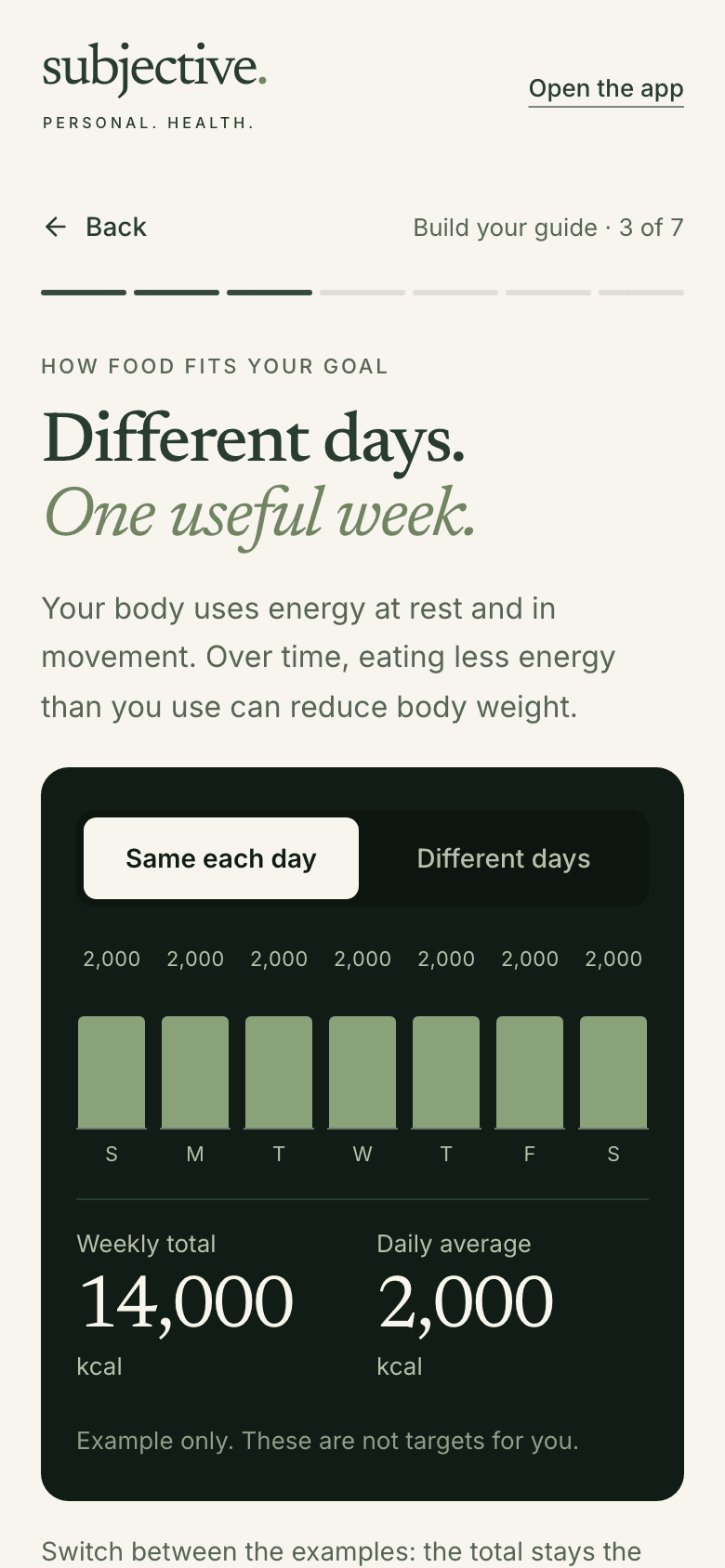
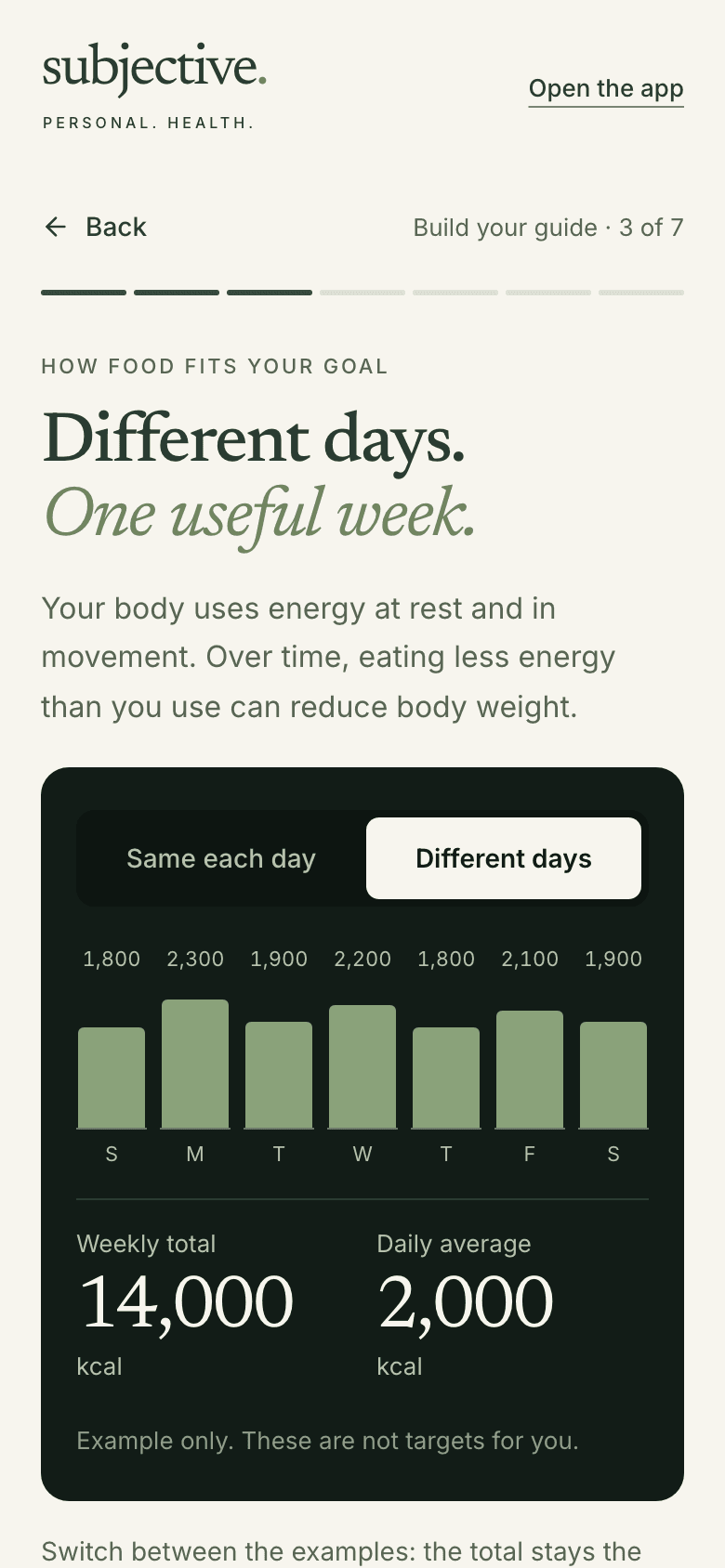
The step-by-step path includes short lessons like this one. Daily amounts can vary and add up to the same weekly total. The numbers are examples, not targets for you.
- A step-by-step lesson
- Example numbers only
- No account needed
Switch the example.
- Guide lesson 'Different days. One useful week.' set to Same each day: seven equal 2,000 kcal bars make a 14,000 kcal weekly total, labeled example only. Switch examples. The total stays the same.
- The same lesson set to Different days: seven uneven example days from 1,800 to 2,300 kcal, and the same 14,000 kcal weekly total, still labeled example only. Uneven days, same weekly total.
Start the week
Choose one first step.
The rest can wait.
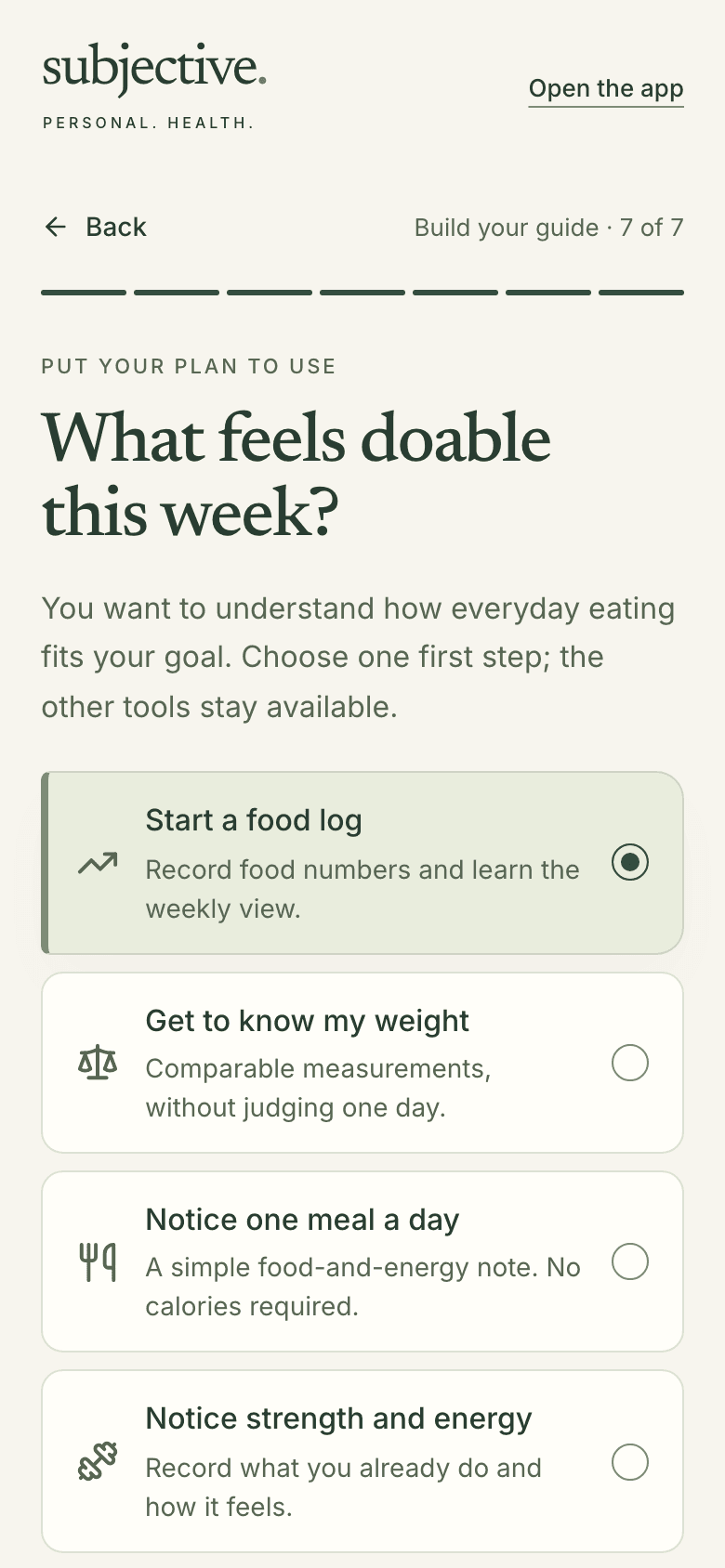
A few short questions shape your first week. You pick one practice from four. Some need no calorie counting at all. Different answers bring a different first week. No calorie target is chosen for you.
- Seven guided steps
- Four practices
- No target chosen for you
Compare two sets of answers.
- Guide step 7 of 7, 'What feels doable this week?', with Start a food log selected above Get to know my weight, Notice one meal a day, and Notice strength and energy. Choose one. The other tools stay available.
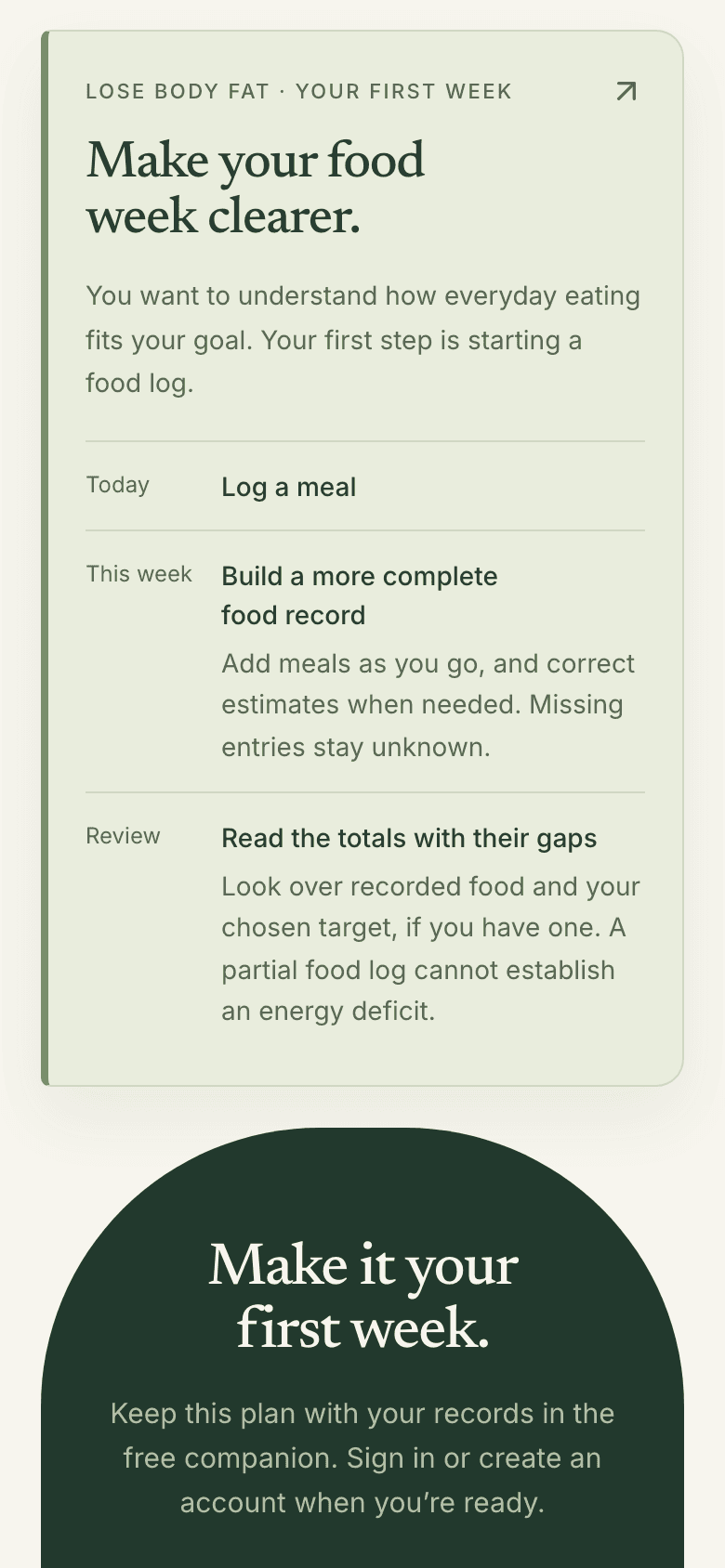
- First-week card for Lose body fat: 'Make your food week clearer.' Today, log a meal. This week, a fuller food record. Review, the totals with their gaps. A day, a week, then a review.
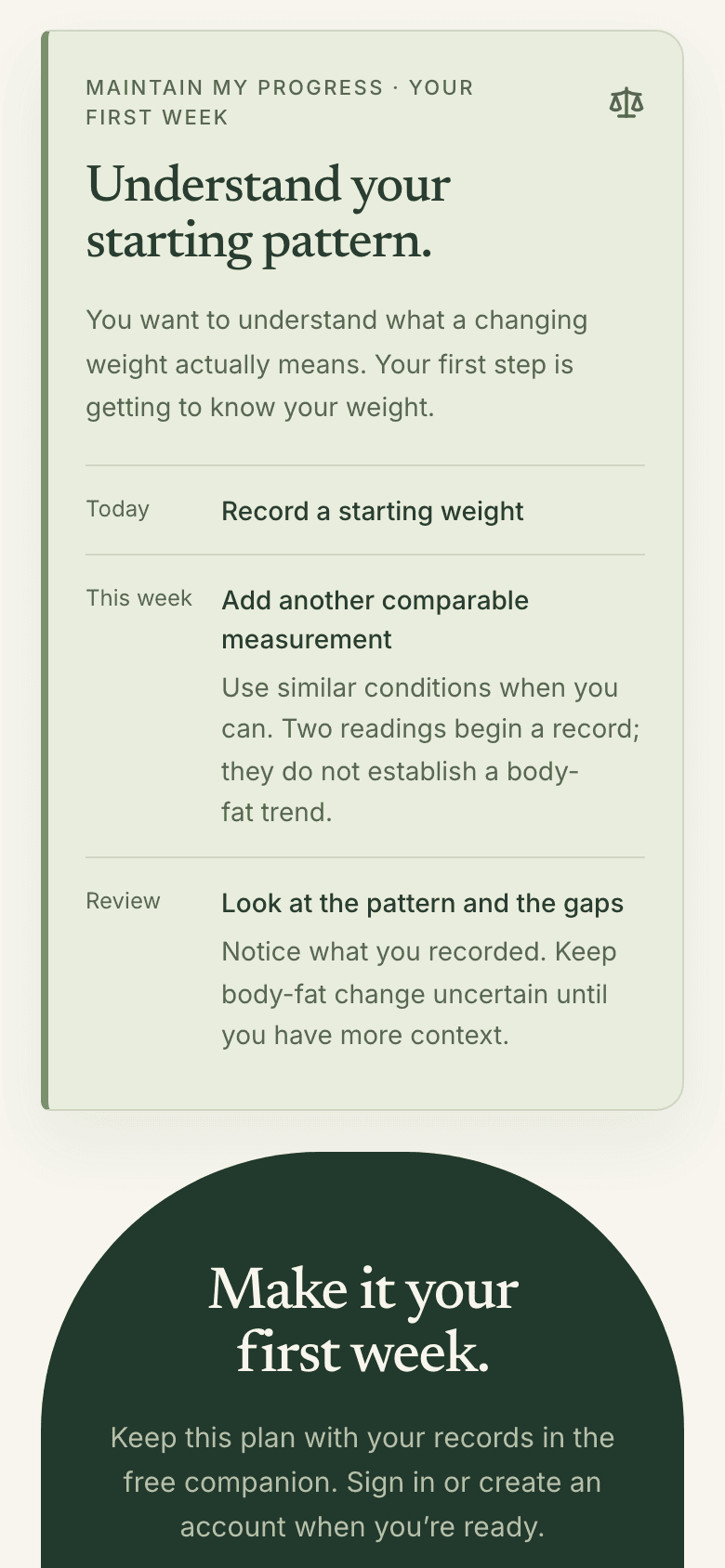
- First-week card from other answers, for Maintain my progress: 'Understand your starting pattern.' Today, record a starting weight. This week, one more comparable measurement. Different answers. A different first step.
Your free guide
A guide to keep.
A reason for each step.
Your answers become a short written guide. Each step has a plain reason. It lists its sources. If you use a GLP-1, it can add an education section. Read it free, without an account. Save it or print it.
- Built from your answers
- Sources listed
- No account to read
Education and personal recordkeeping, not diagnosis or treatment. No target is calculated from the educational examples. Subjective does not monitor symptoms, recommend doses or make treatment decisions.
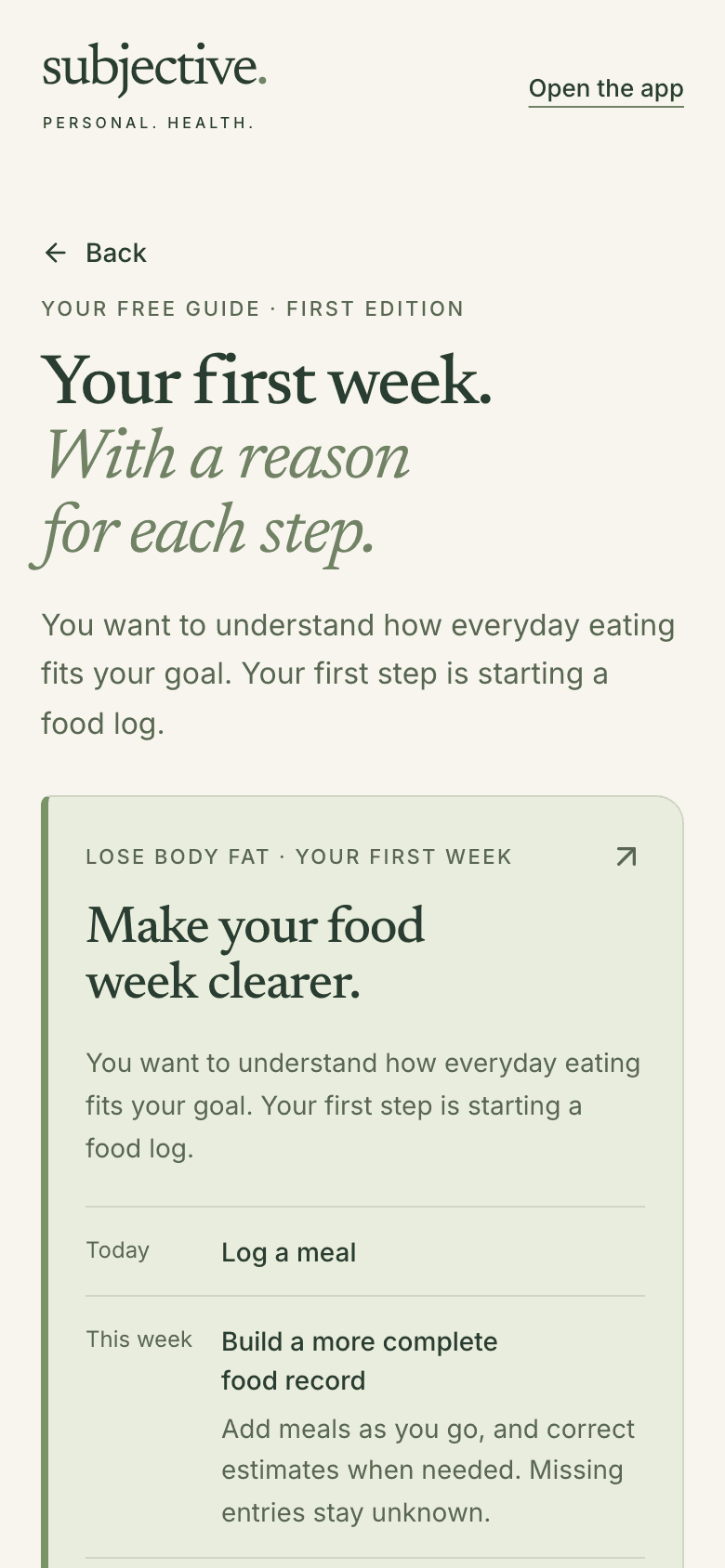
- The whole free guide, top to bottom: the first-week card, five short numbered sections, a collapsed sources section, and a Save or print my guide button.
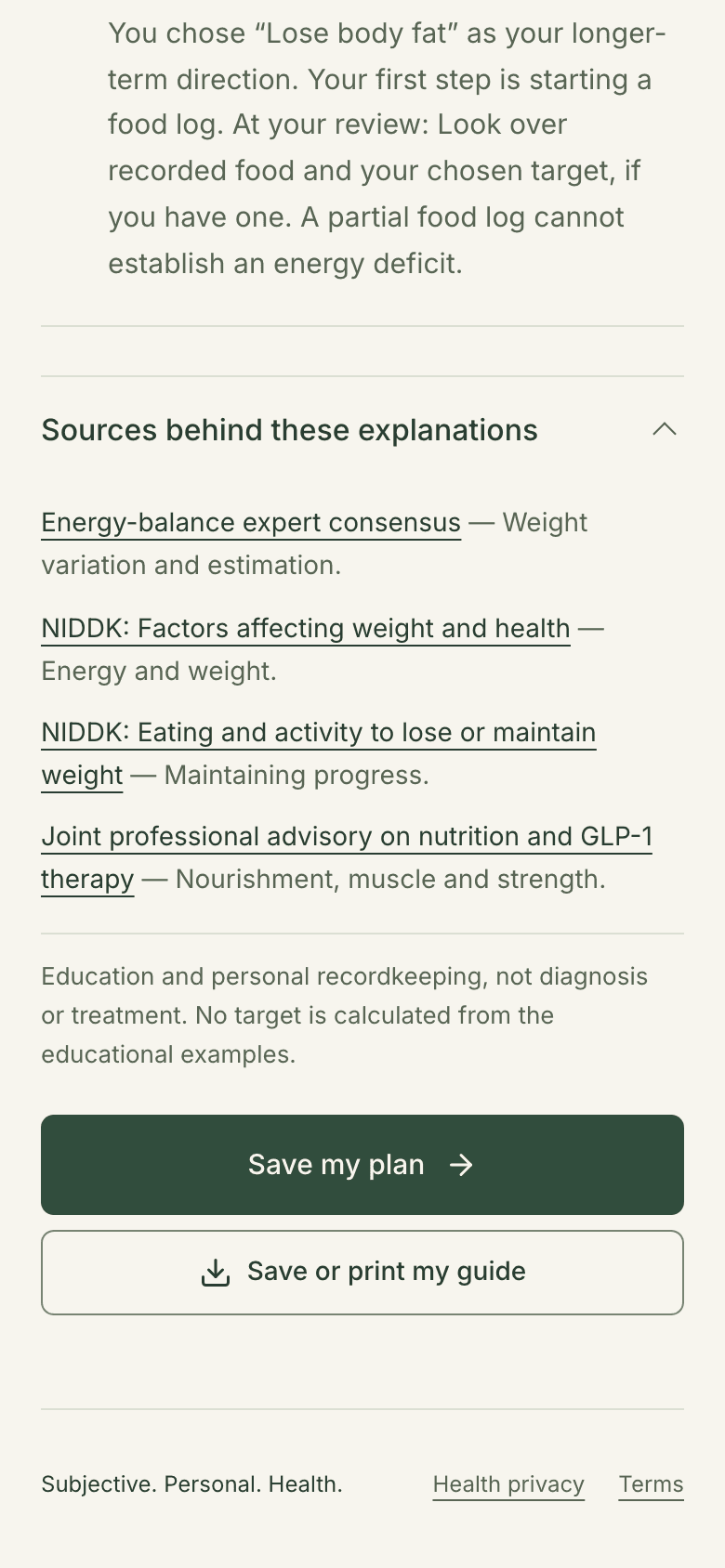
- End of the guide: four linked sources, including two NIDDK pages, an education-only note, and a Save or print my guide button. Linked sources, so you can check them.
A day in the week
Two views of your day.
A note, if it helps.
See food and weight together. Or keep it lighter, with weight and how you feel. Food logging stays one tap away. Add a short note on appetite, energy or anything else. An optional field records any medication you took, in your words.
- Switch views anytime
- Every field optional
- Private to your account
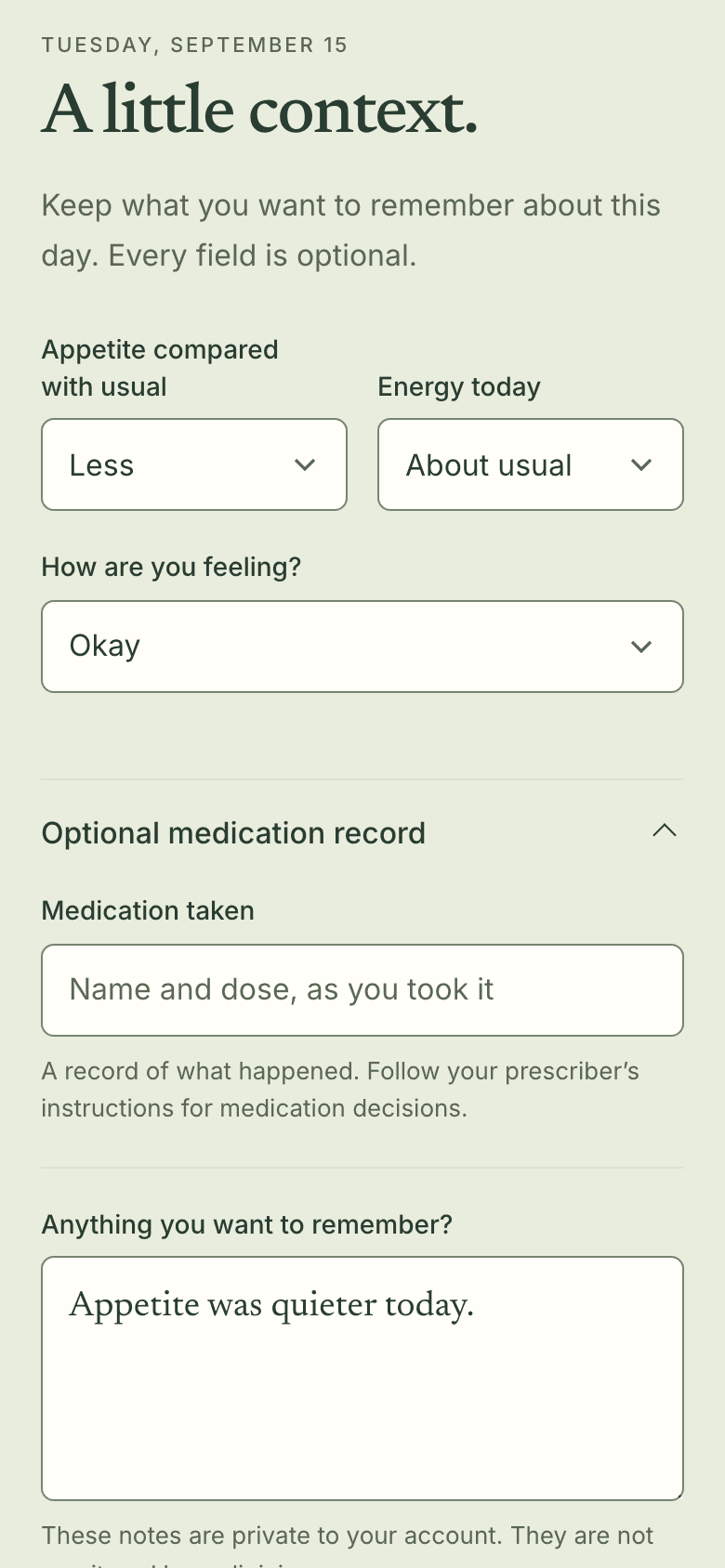
A record of what happened. Follow your prescriber’s instructions for medication decisions. These notes are private to your account. They are not monitored by a clinician.
Choose a view.
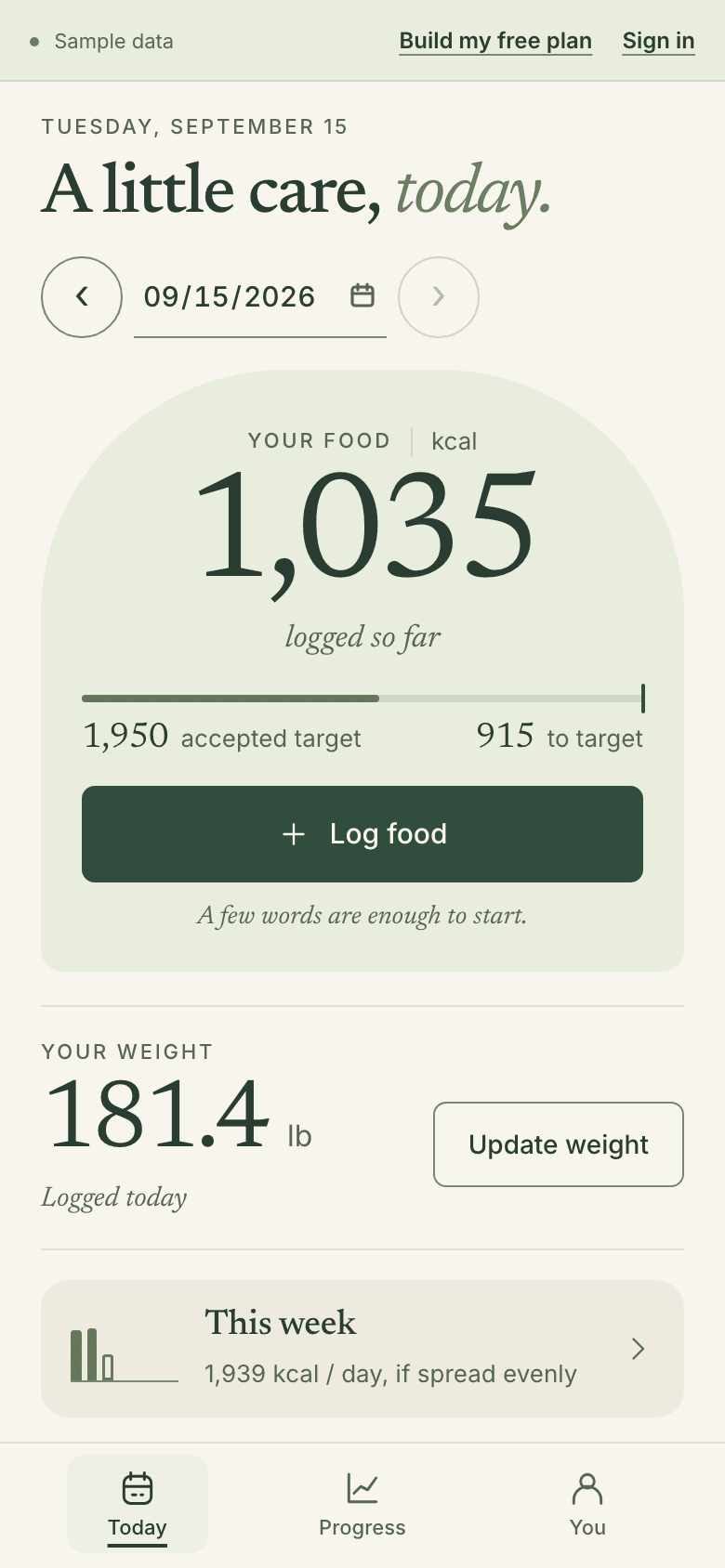
- Sample Today in the Food & weight view: 1,035 kcal logged next to the 1,950 kcal target the sample chose, a Log food button, and a 181.4 lb weight card. Food so far, next to the target you chose.
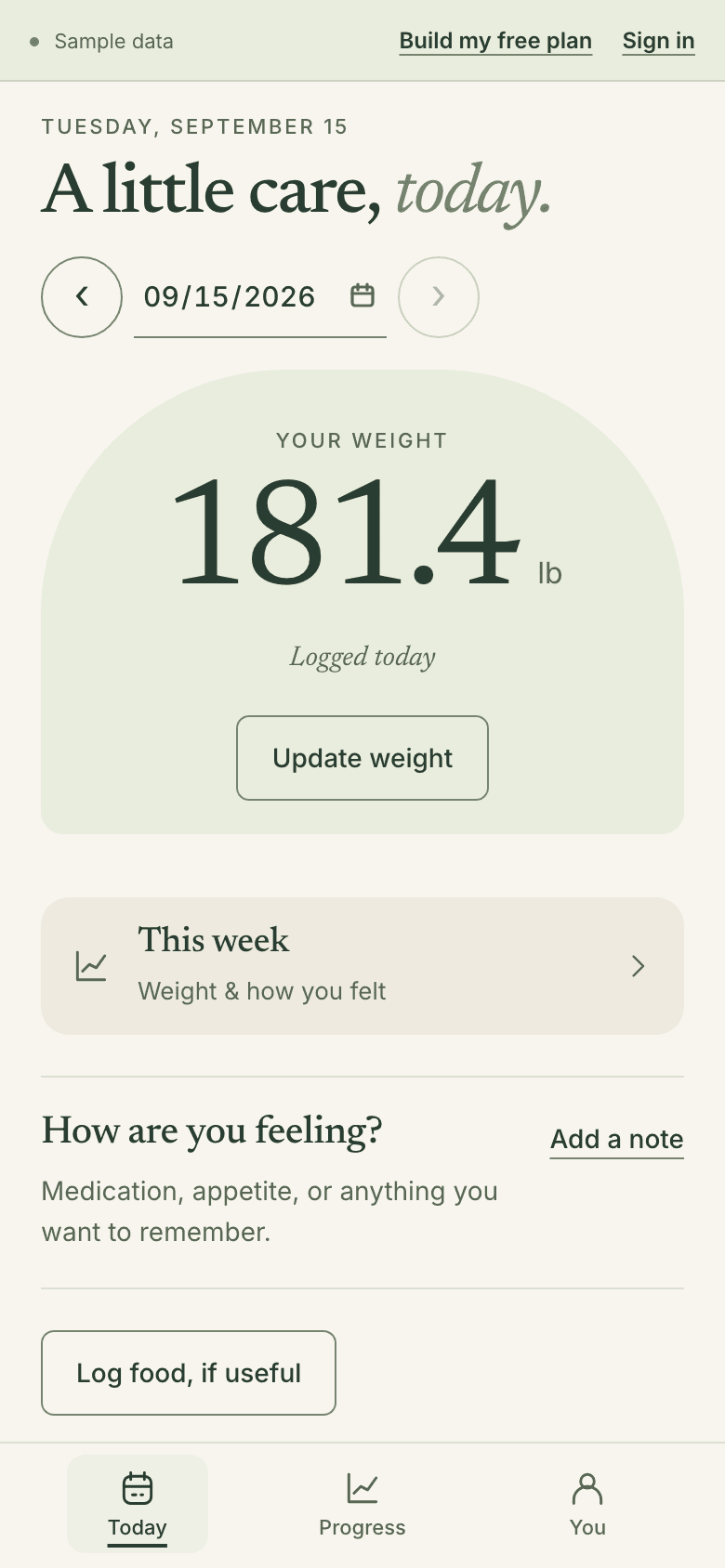
- Sample Today in the Weight & how I feel view: a 181.4 lb weight card, a This week link, a How are you feeling? prompt, and a Log food, if useful button. Food logging is still here, if useful.
- Daily note 'A little context.' Appetite: Less. Energy: About usual. Feeling: Okay. An empty optional medication field, and the note 'Appetite was quieter today.' Optional. Written in your own words.
Later that day
Log a meal.
In a few words.
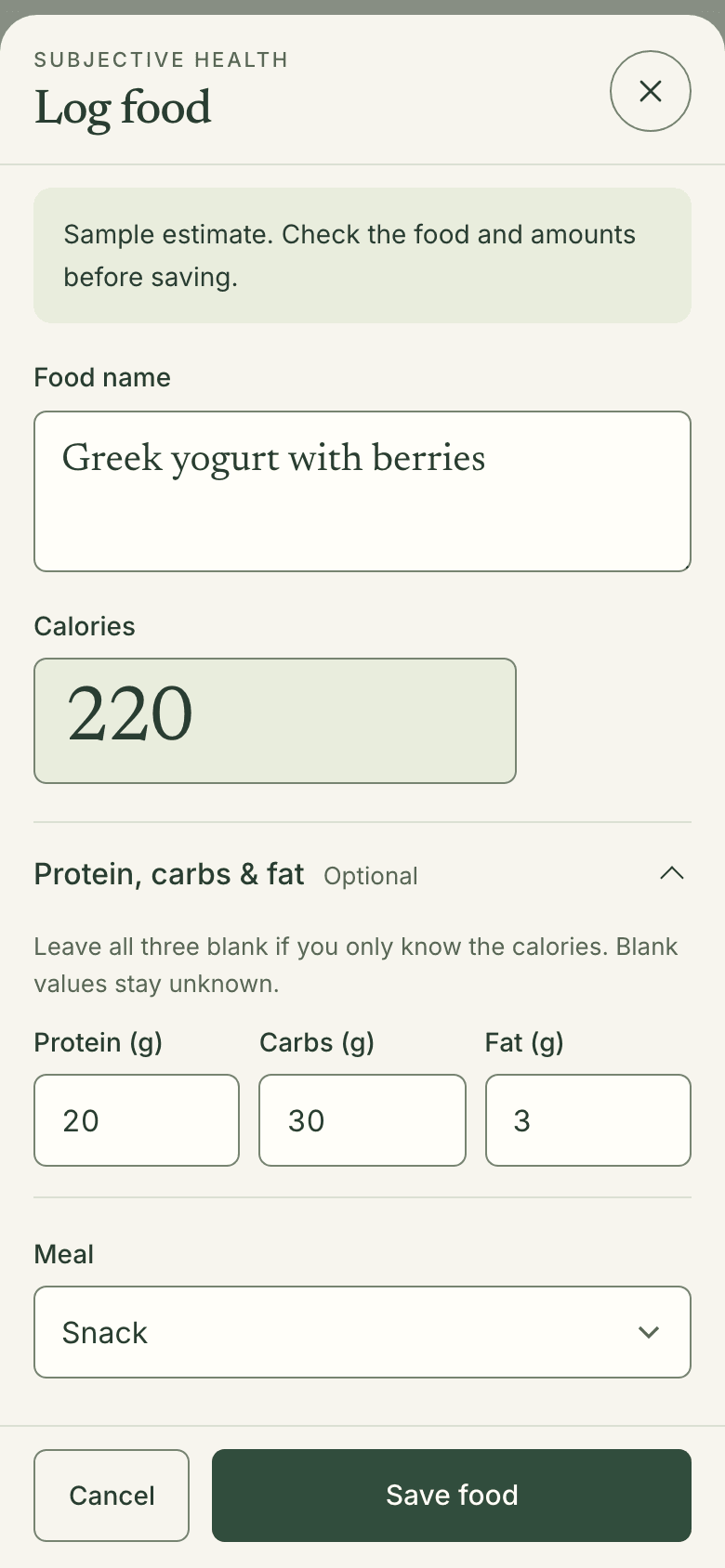
Describe what you ate, then choose Estimate food. Check the result and change anything before saving. Or enter calories yourself. Today shows what you’ve logged, and your target if you chose one.
- Text or manual entry
- Every field editable
- You check before it counts
When you choose Estimate food, your description is sent to OpenAI to estimate nutrition. Review the result before saving. You can enter food manually instead.
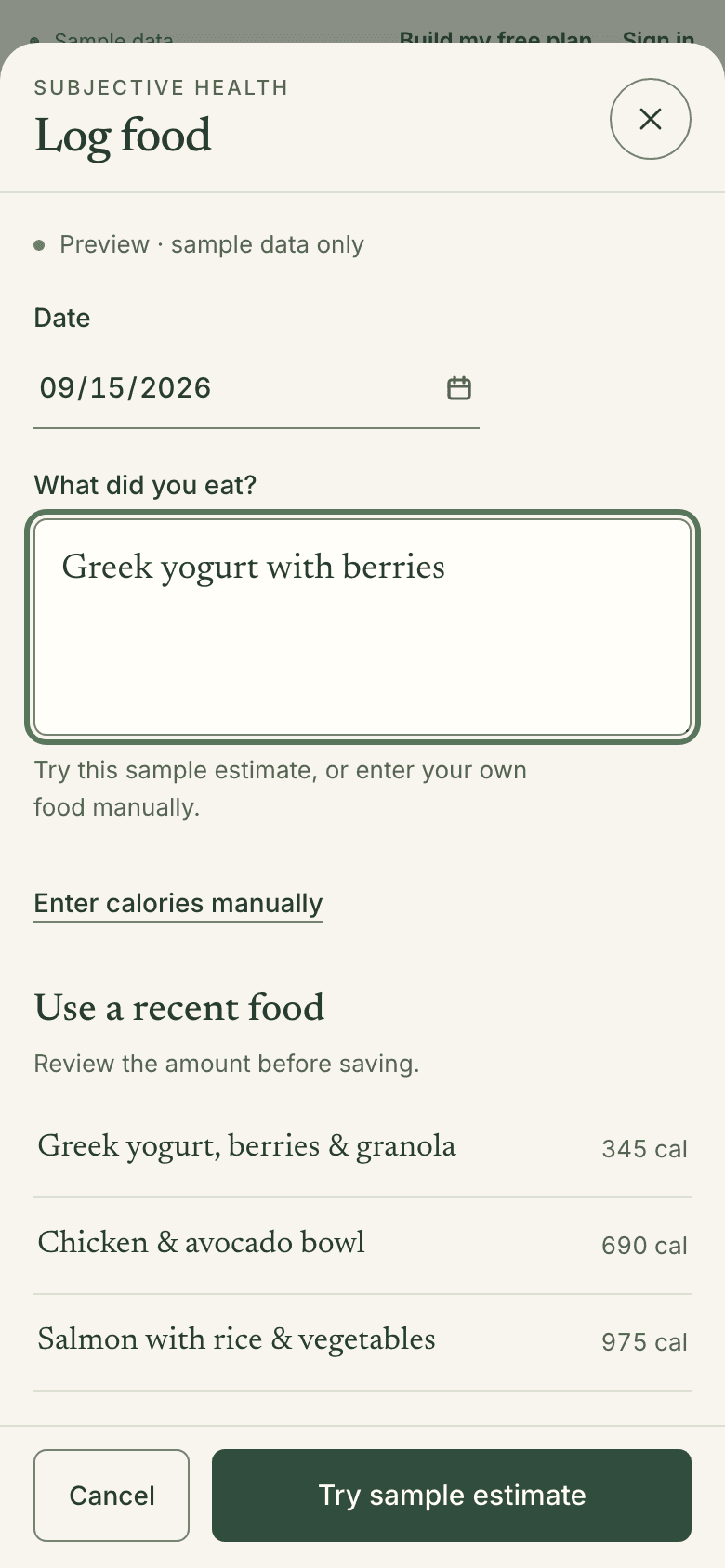
- Log food sheet in sample mode. 'What did you eat?' reads Greek yogurt with berries, with an Enter calories manually link, three recent foods, and Try sample estimate. In your account, this button says Estimate food.
- Sample estimate to check before saving: Greek yogurt with berries, 220 calories, protein 20 g, carbs 30 g, fat 3 g, every field editable, then Save food. Change anything before you save.
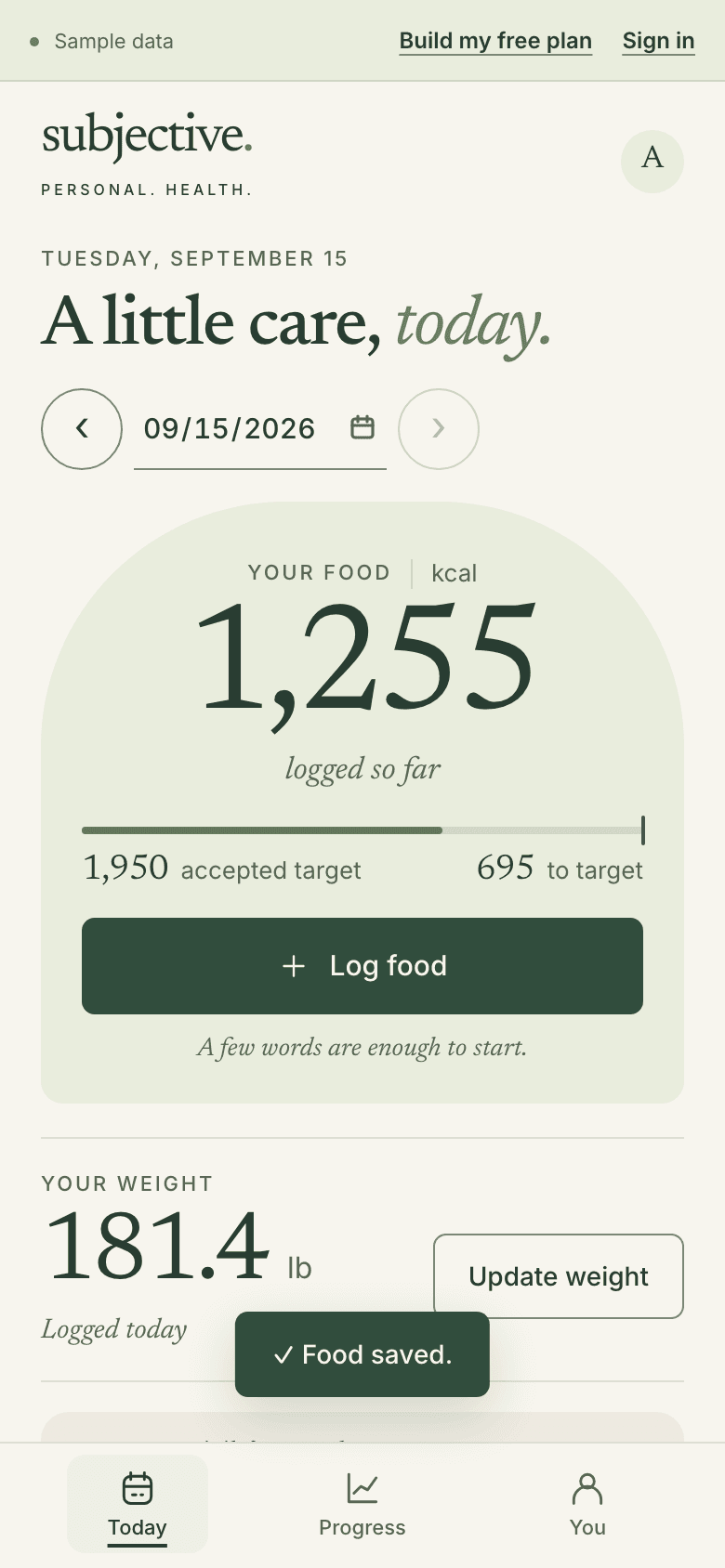
- Sample Today after saving: food logged rises to 1,255 kcal, 695 below the sample’s chosen 1,950 kcal target, with a Food saved message. Your day’s total updates as you log.
The week so far
See the whole week.
Not only today.
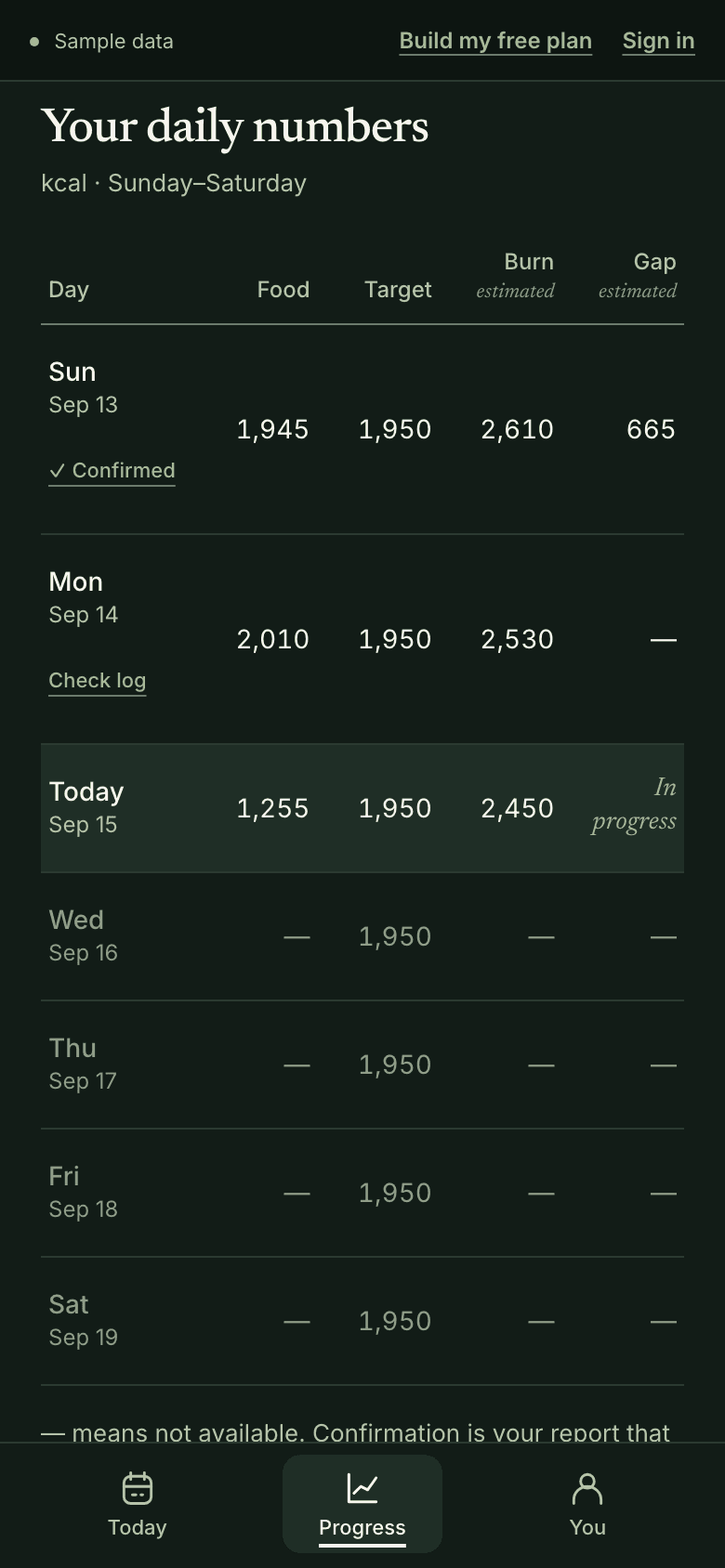
The Progress tab lays out your week, Sunday to Saturday. Each day lists food, target and burn. Burn is an estimate of the energy you use in a full day. It needs a few optional details about you. The gap is what you burned minus what you ate. A dash means not available, never zero.
- Sunday to Saturday
- Today stays in progress
- Estimates labeled as estimates
The gap changes as you log food; it does not mean you have achieved a deficit.
- Sample daily numbers, Sunday to Saturday. Sunday is confirmed. Monday shows Check log and a dash for its gap. Today is in progress at 1,255. Later days show dashes. A dash means not available, not zero.
Checking a day
A blank isn’t a zero.
You say when a day is complete.
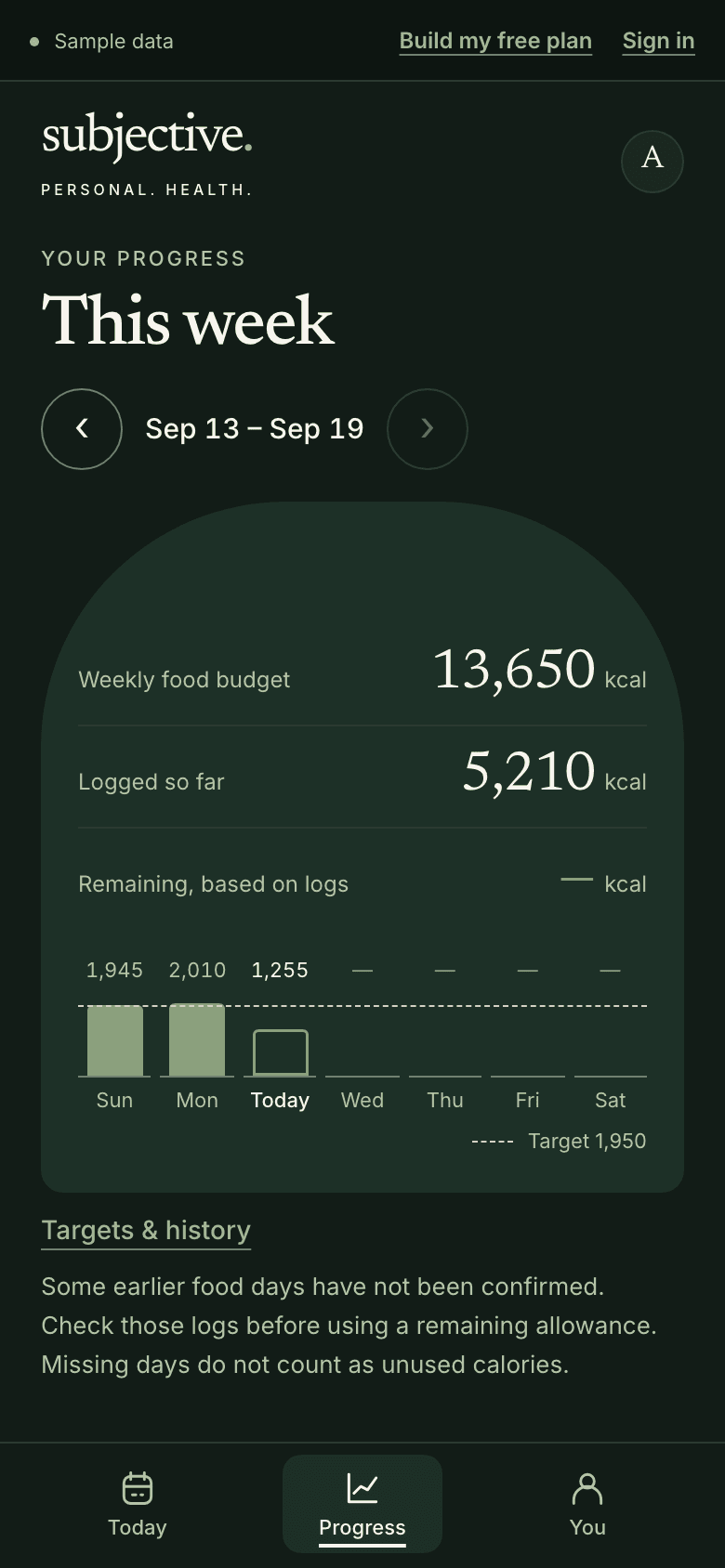
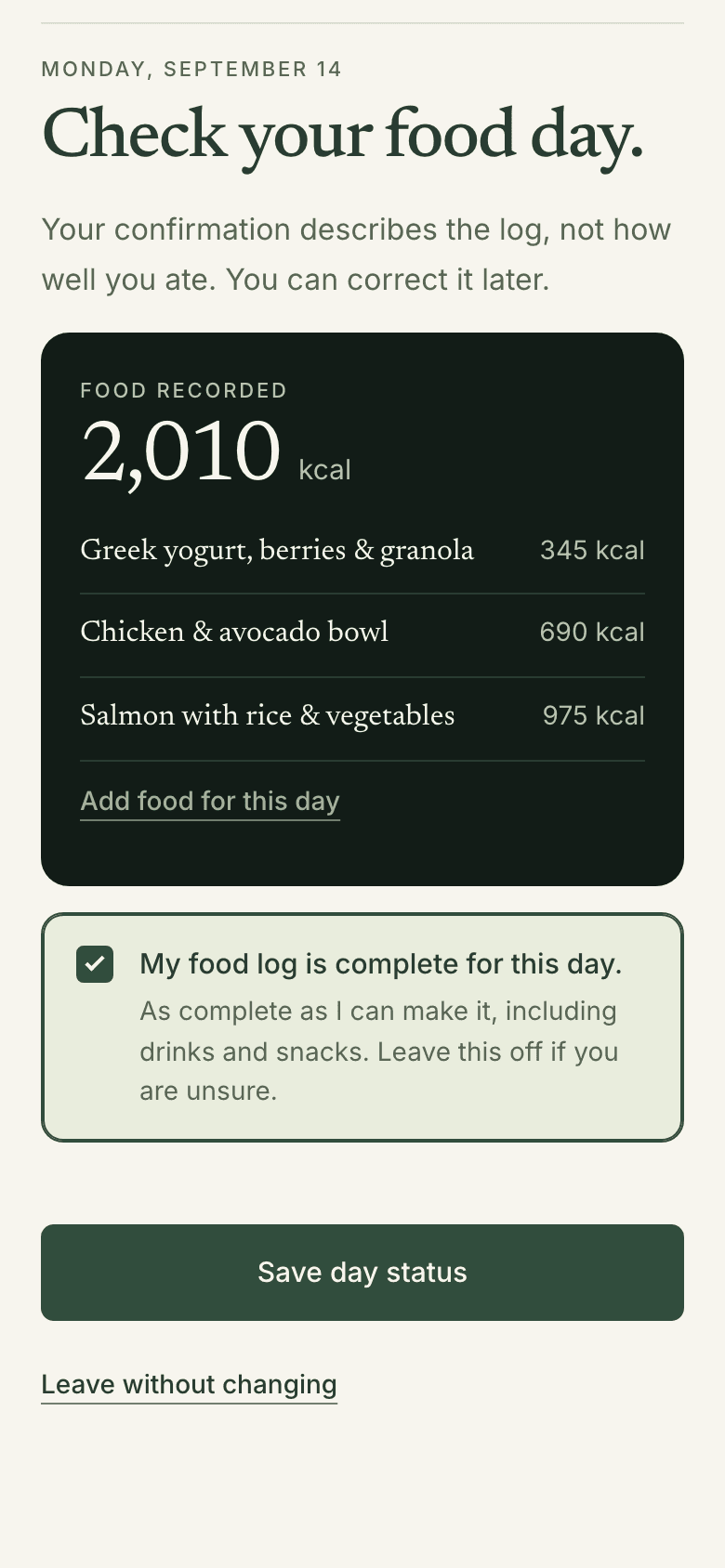
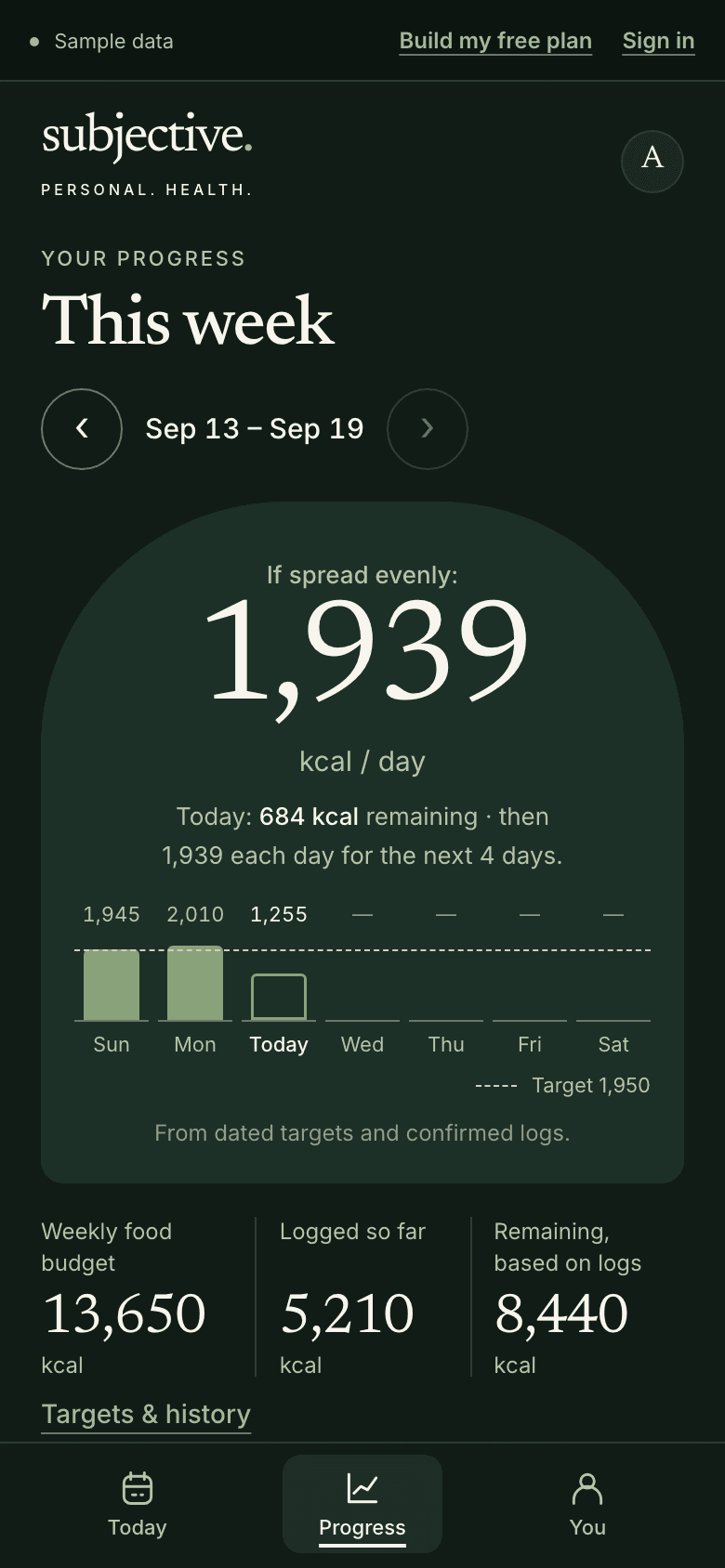
Your chosen daily targets add up to a weekly budget. Until earlier days are checked, the week won’t guess what’s left. An unlogged day never counts as eating nothing. One tick says a day is complete. It describes your log, not how well you ate.
- One tick per day
- Only you mark it complete
- Correct it later
See the week both ways.
- Sample week with Monday unchecked: no even-spread line, 5,210 kcal logged so far, Remaining shown as a dash, and a note that missing days do not count as unused calories. Remaining shows a dash, not a guess.
- Monday's day check in the sample: 'Check your food day.', three meals totaling 2,010 kcal, 'My food log is complete for this day.' ticked, and a Save day status button. Leave it off if you’re unsure.
- The same sample week after Monday is checked: 'If spread evenly: 1,939 kcal / day' returns, with 8,440 kcal remaining from a 13,650 kcal weekly food budget. What’s left of your own targets, spread evenly.
When a week ends
Look back briefly.
Then choose one thing.
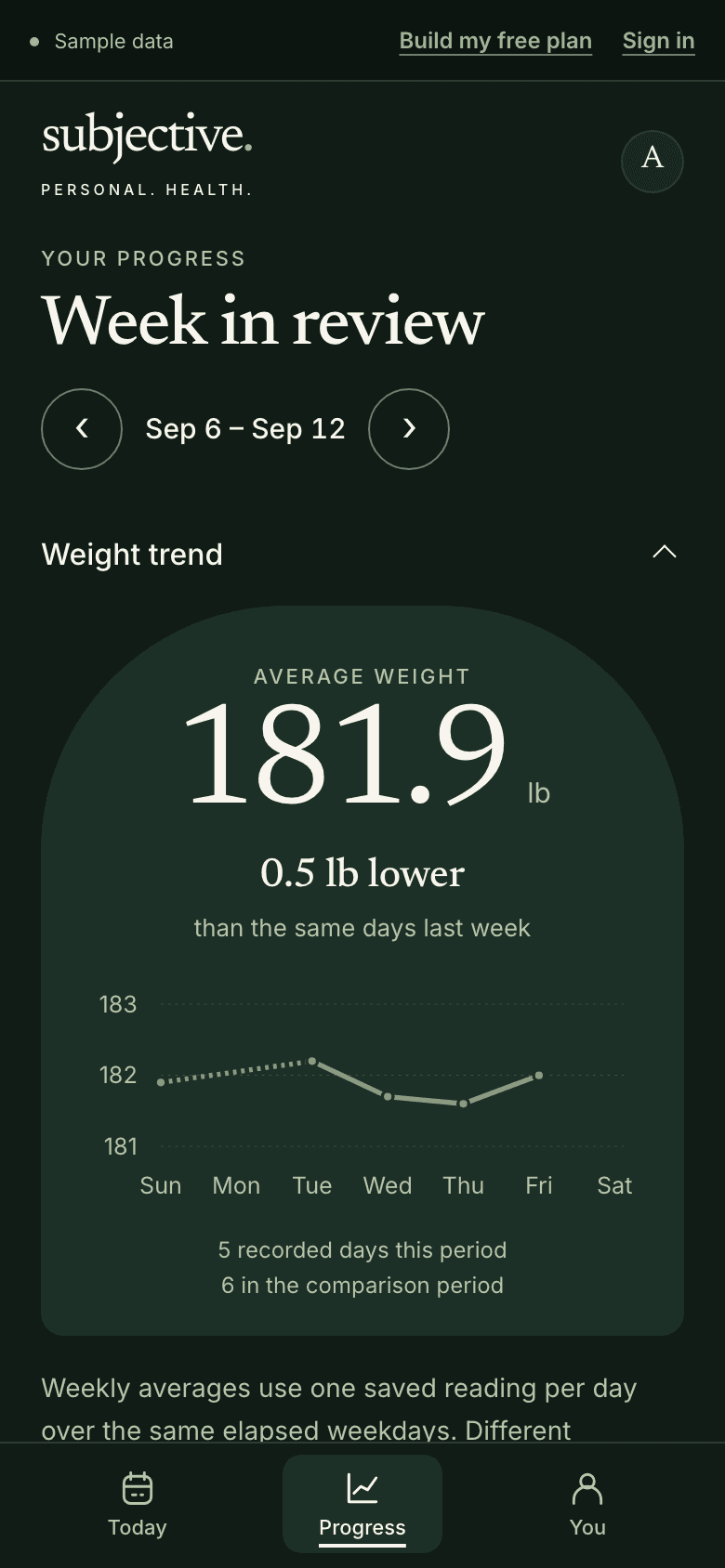
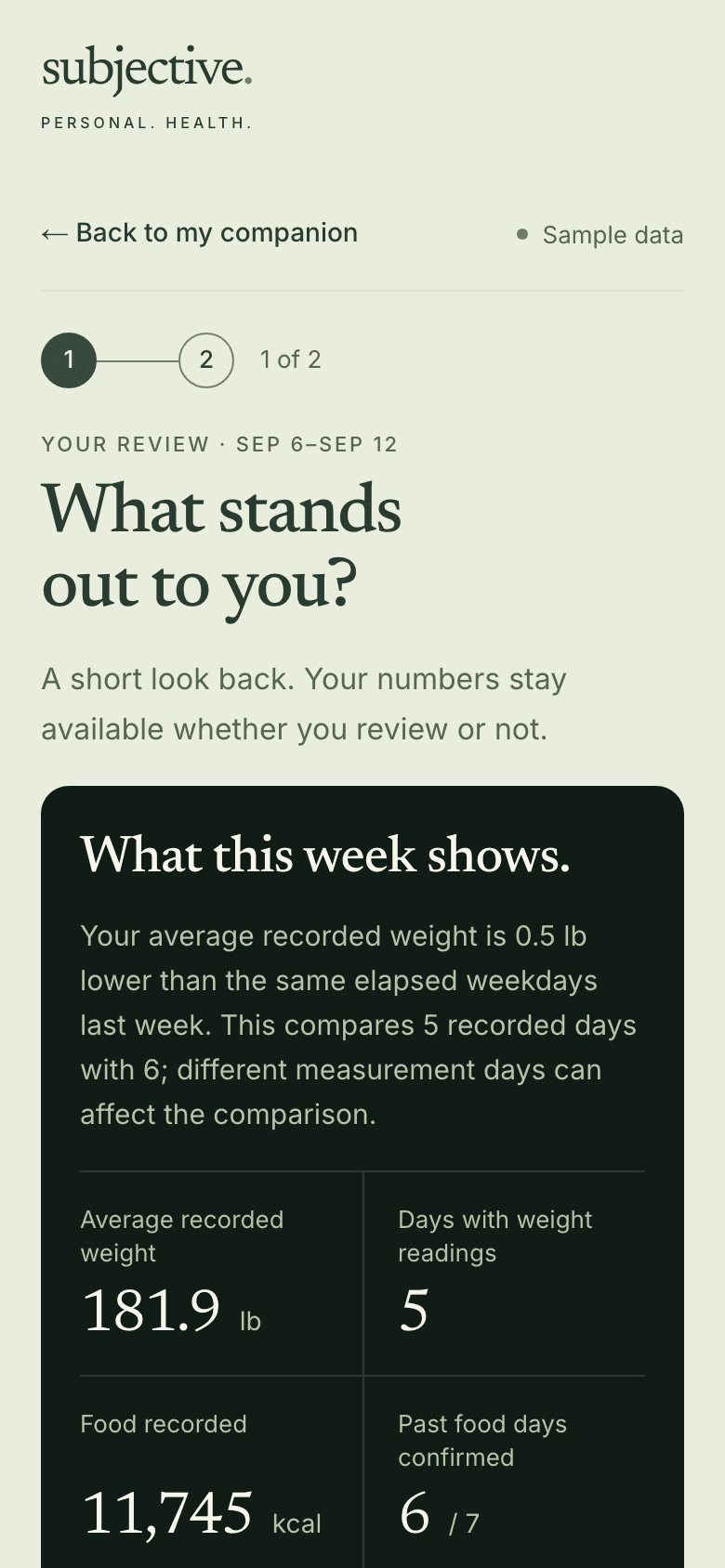
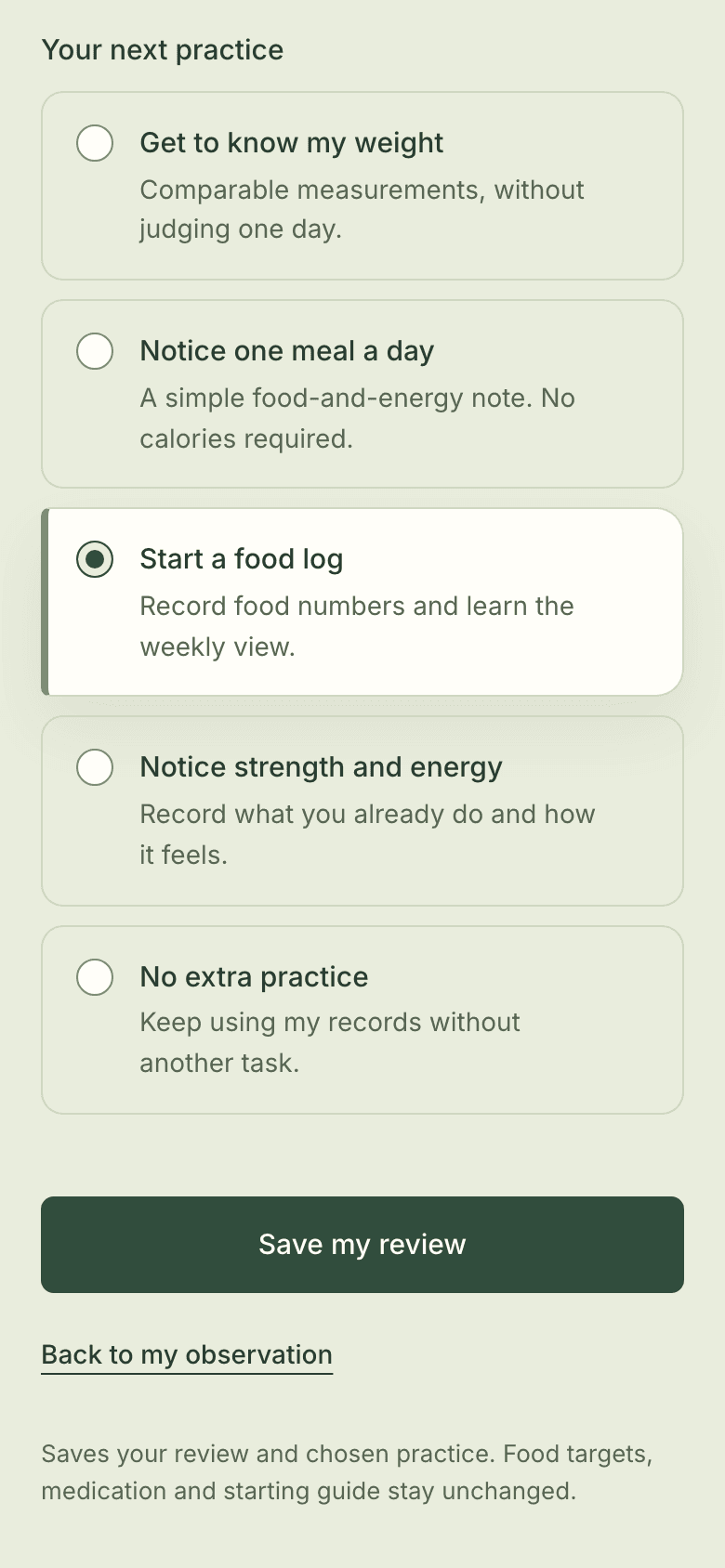
An optional review sets out your records. Average weight is compared with the same days last week. It says lower, higher or about the same. Missing days are named, not guessed. Write what stood out. Then pick one practice, or none. It waits on Today.
- Optional and skippable
- Like-for-like days
- Only you change targets
Calorie estimates do not predict a specific weight change.
- Sample week in review, Sep 6–12: average weight 181.9 lb, 0.5 lb lower than the same days last week, five readings charted, a dotted line across a missing Monday. Dotted where a day has no reading.
- Weekly review, step 1 of 2: 'What stands out to you?' A card sets out the sample's weight comparison, 5 days with readings, 11,745 kcal recorded, 6 of 7 days confirmed. Your records, stated plainly. Missing days included.
- Review step 2: five choices for the coming week with Start a food log selected, No extra practice as an option, and a Save my review button. No extra practice is a real choice.
Your records
Take a copy.
Keep it personal.
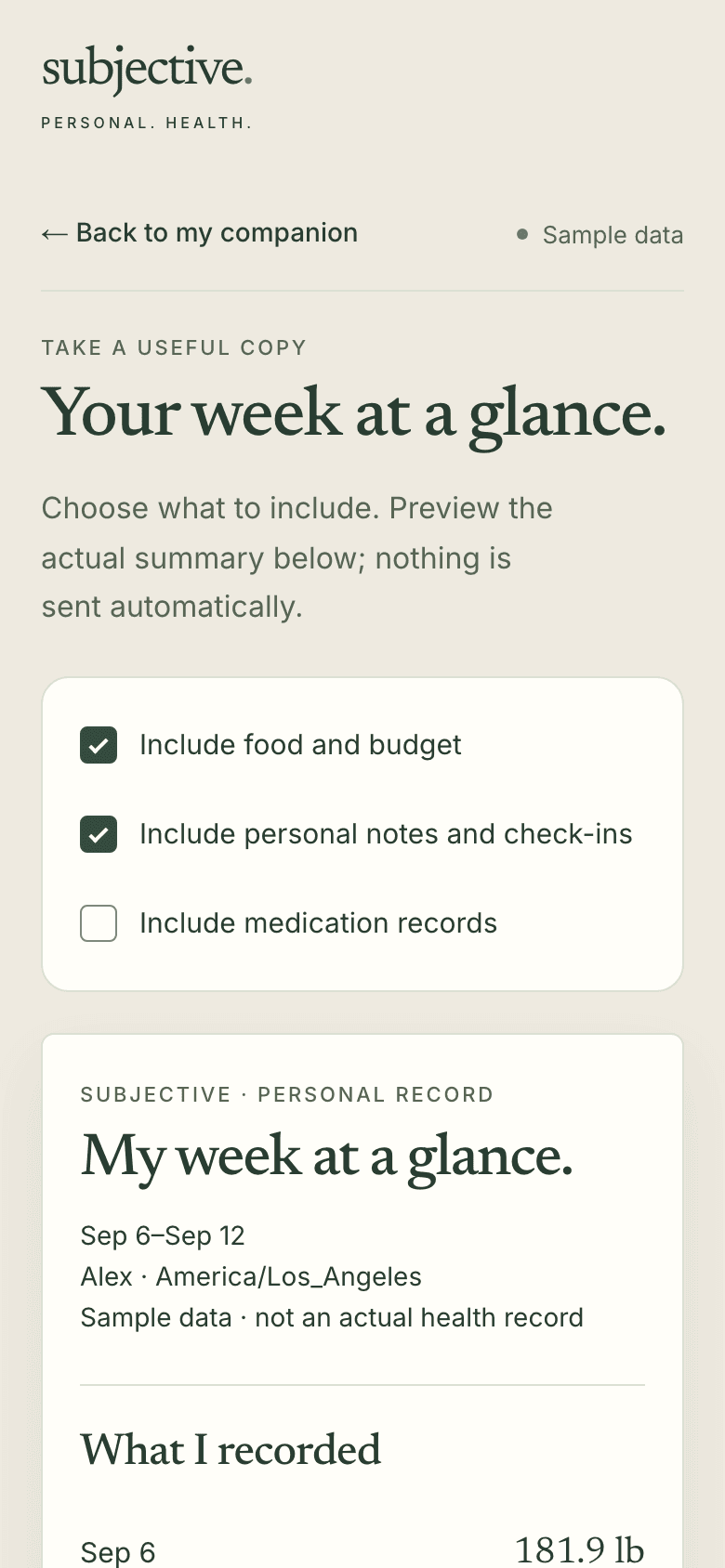
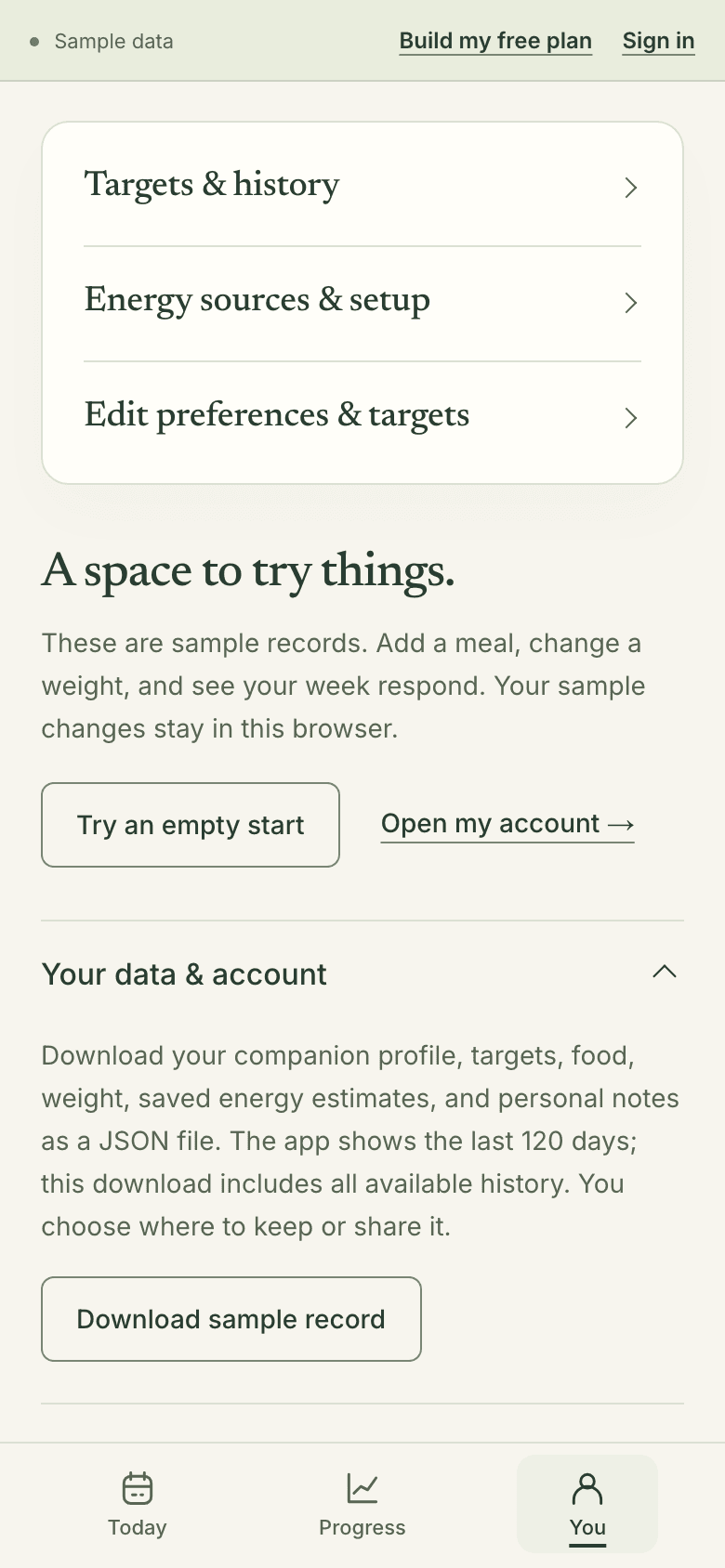
Turn any week into a readable summary. You choose what goes in. Print it or save it as a PDF. Nothing is sent automatically. Your food, weight and notes also download as a file you keep.
- Nothing sent automatically
- Print or save as PDF
- Download my record
Subjective helps you keep track and understand your patterns. It does not provide diagnosis or treatment advice.
- 'Your week at a glance.' Food and budget and personal notes are ticked, medication records are not, above a summary card labeled sample data, not an actual health record. Medication records stay out unless you include them.
- The sample You tab with Your data & account open: a JSON download of profile, targets, food, weight and notes, and a Download sample record button. Your food, weight and notes, as one file.
A few short questions.
Then your first step.
Say what you’d like to work toward. Choose one practice for this week. Your free guide gives a reason for each step. Or look around the sample app first.
Read your guide free. No account or card needed. It works in your browser, with nothing to install.