The program
Log a little each day.
Look back each week.
It starts with a free guide and one first practice. Then a few words a day, and a short weekly review. Any targets are yours to set, or skip.
Read your guide free. No account or card needed.
- Build your free plan and choose a first practice.
- Every day, in the Today tab. See your practice, log a little, see your day.
- Every week, in the Progress tab. See your week, then open your weekly review.
- Then choose next week’s practice, or none.
- Your guide, targets and records live in the You tab.
Your free plan
Start with your free plan.
A reason for each step.
- Say what you’d like to work toward. No final weight or deadline needed.
- Read a few short lessons, or keep setup short.
- Choose one first practice from four. Three need no calorie counting.
- Read and print your guide. No account needed.
- Save it to a free account when you’re ready.
If you use a GLP-1, your guide can add an education section.
Subjective does not monitor symptoms, recommend doses or make treatment decisions.
Read your guide free. No account or card needed.
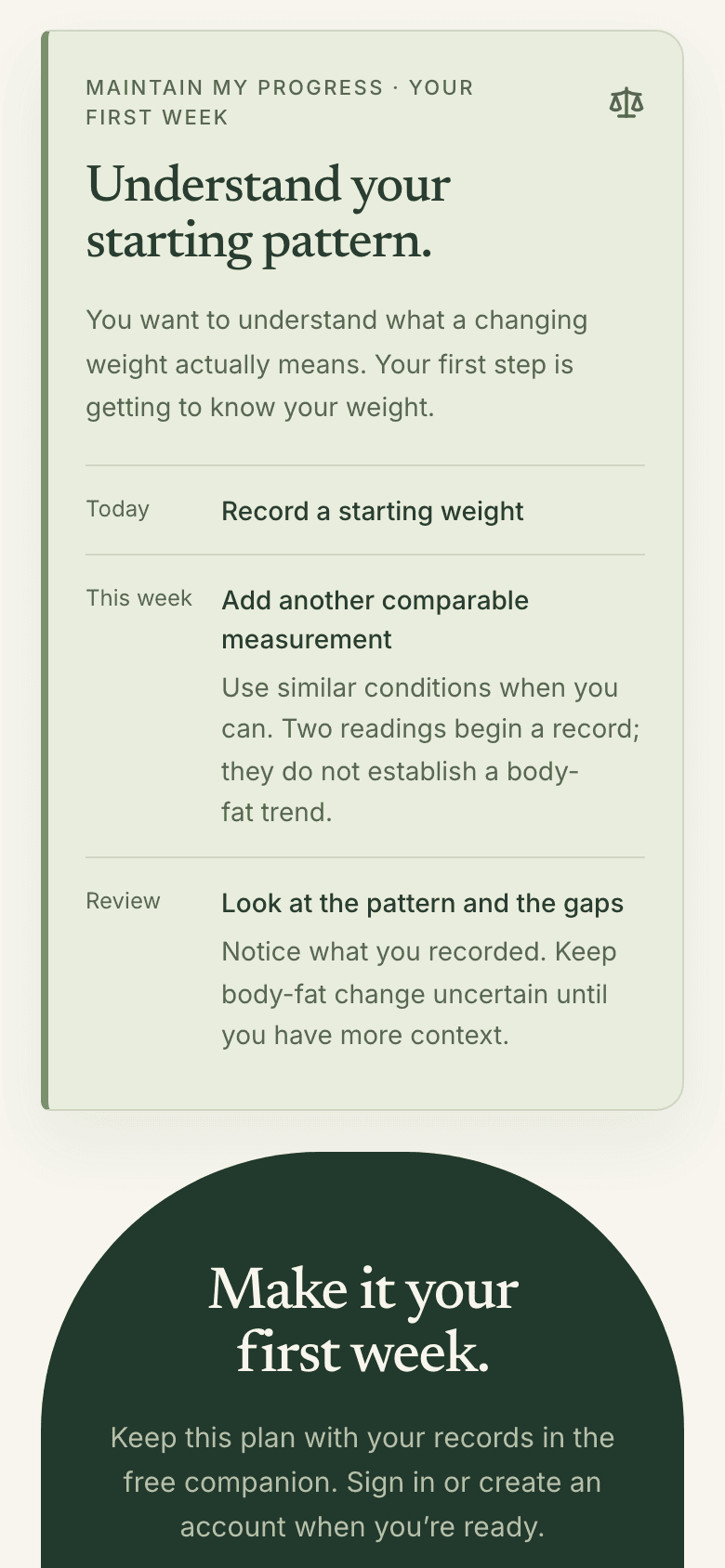
Real screens · sample data, not from a real person
Every day
A little care, today.
- Your practice sits at the top of the Today tab. It opens the right entry.
- Log a meal in a few words. Check it before it counts.
When you choose Estimate food, your description is sent to OpenAI to estimate nutrition. Review the result before saving. You can enter food manually instead.
- Or enter calories yourself.
- Unfinished estimates are marked and left out of totals.
- Add a weight when you weigh yourself. One per day.
- A short daily note, in your own words. Every field optional.
If you take a medication
An optional field records any medication you took, in your words.
A record of what happened. Follow your prescriber’s instructions for medication decisions.
These notes are private to your account. They are not monitored by a clinician.
Correct any day from the last 120 days.
Two ways to track.
Change your view anytime.
Food and weight, or weight and how you feel.
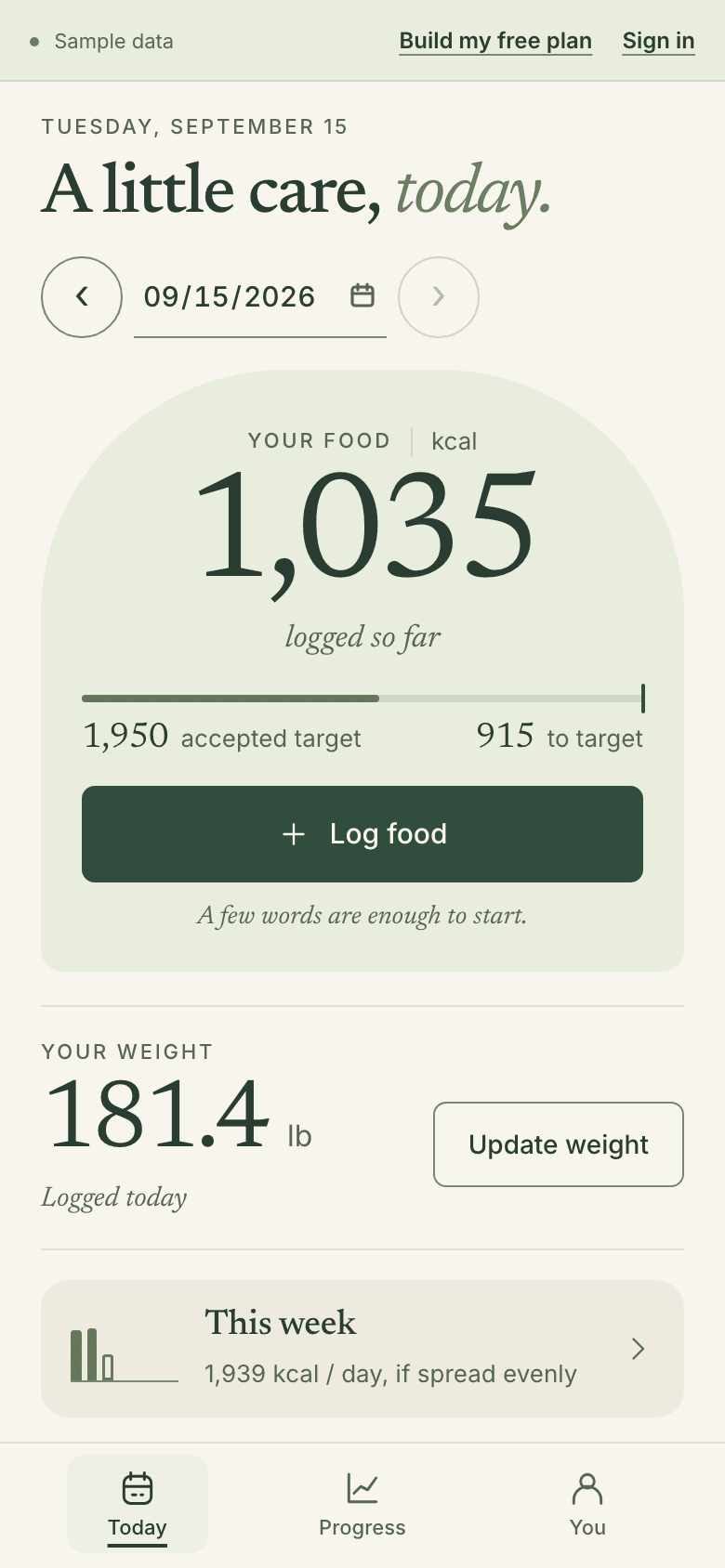
Food & weight
Quick meal logging, weight, and a clear weekly food budget.
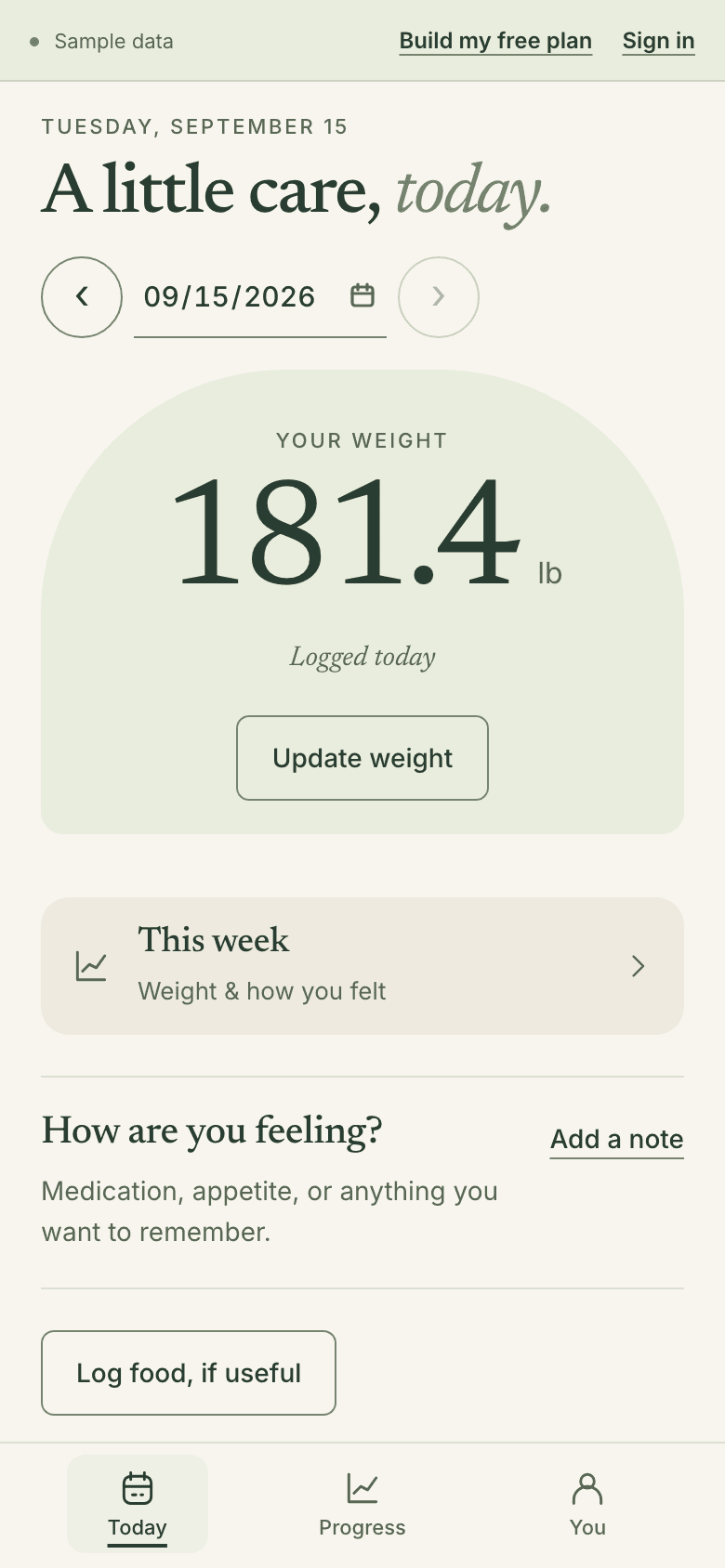
Weight & how I feel
Weight, medication notes, and a lighter weekly review. Food logging stays available.
You choose how much to track.
Real screens · sample data, not from a real person
Every week
Look back briefly.
Then choose one thing.
- Your week runs Sunday to Saturday.
- When it ends, open your weekly review in the Progress tab.
It’s optional, in two steps.
- Write what stood out, if you like.
- Keep what works, choose a different practice, or choose no extra task.
- Your review never changes your targets.
- Your next practice then waits in the Today tab.
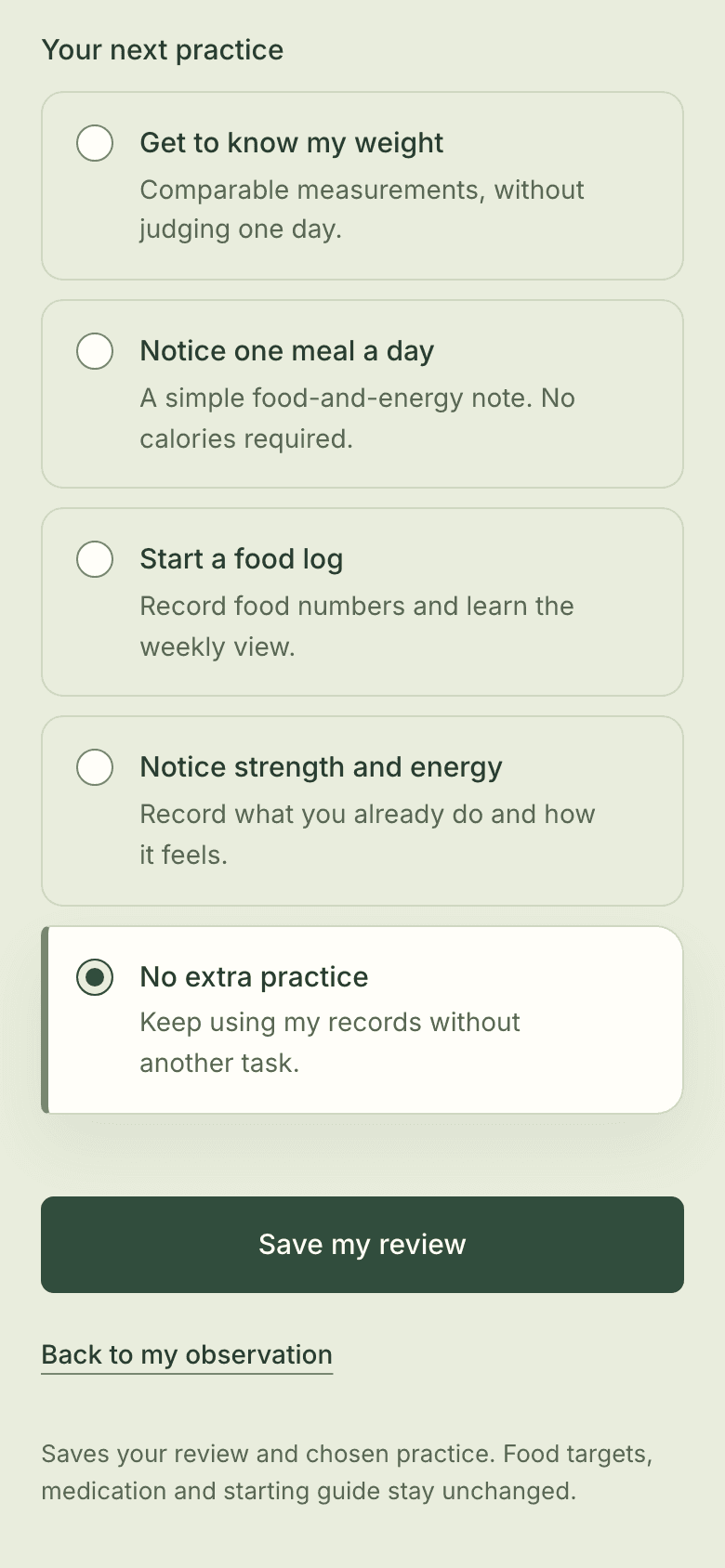
Real screens · sample data, not from a real person
How the week’s numbers work
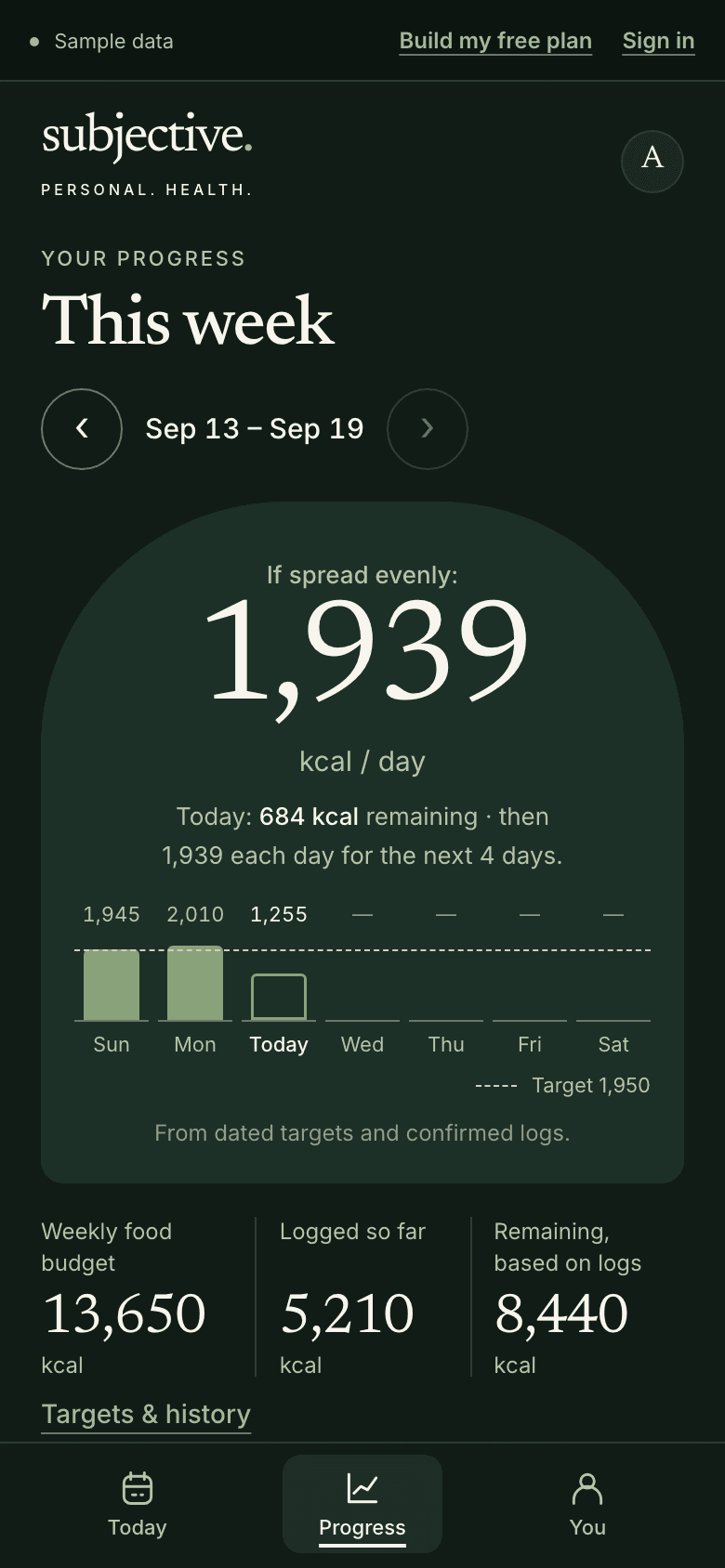
- If you use food targets, they add up to one weekly budget.
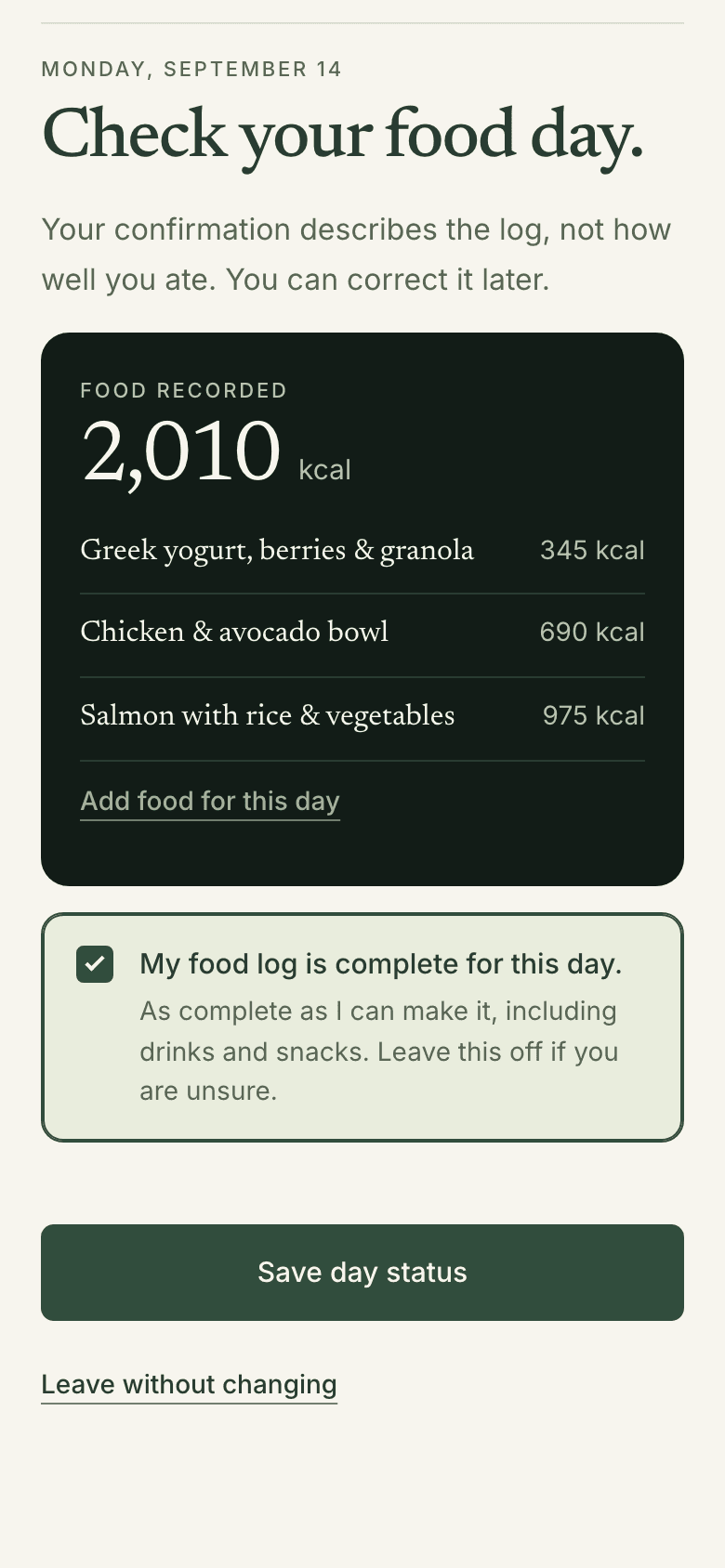
- Tick a day once its log is complete. Then the week can show what’s left.
- You can tick days in either view.
- Calories burned are estimated, not measured. No result is promised.
The gap changes as you log food; it does not mean you have achieved a deficit.
- A dash means not available, never zero.
- Your weekly average weight is compared with the same days last week. It needs readings on at least two days in each week.
Calorie estimates do not predict a specific weight change.
- In the lighter view, your week opens on your weight trend.
Daily amounts can vary and add up to the same weekly total.
Illustration only. These are not targets for you.
Real screens · sample data, not from a real person
Take a copy
- Make a readable summary. You choose what’s in it.
- Medication stays out unless you include it.
- Nothing is sent automatically.
The rules
Simple rules.
The app keeps them.
- The week, not the day.
- Progress adds any daily targets into one weekly budget.
- No calorie debt carries forward.
- A big day never lowers next week’s budget.
- A blank isn’t a zero.
- An empty day counts as zero only if you say so.
- You choose the numbers.
- Your plan never chooses a calorie target for you.
- Past targets stay as they were.
- A new target never rewrites a previous week.
- One practice at a time.
- You choose one first practice from four.
- Estimates stay labeled.
- In Progress, burn and gap figures are marked as estimates.
- Your log, not a grade.
- Your confirmation describes the log, not how well you ate.
Real screens · sample data, not from a real person
Sources
Sources you can check.
Listed in every guide.
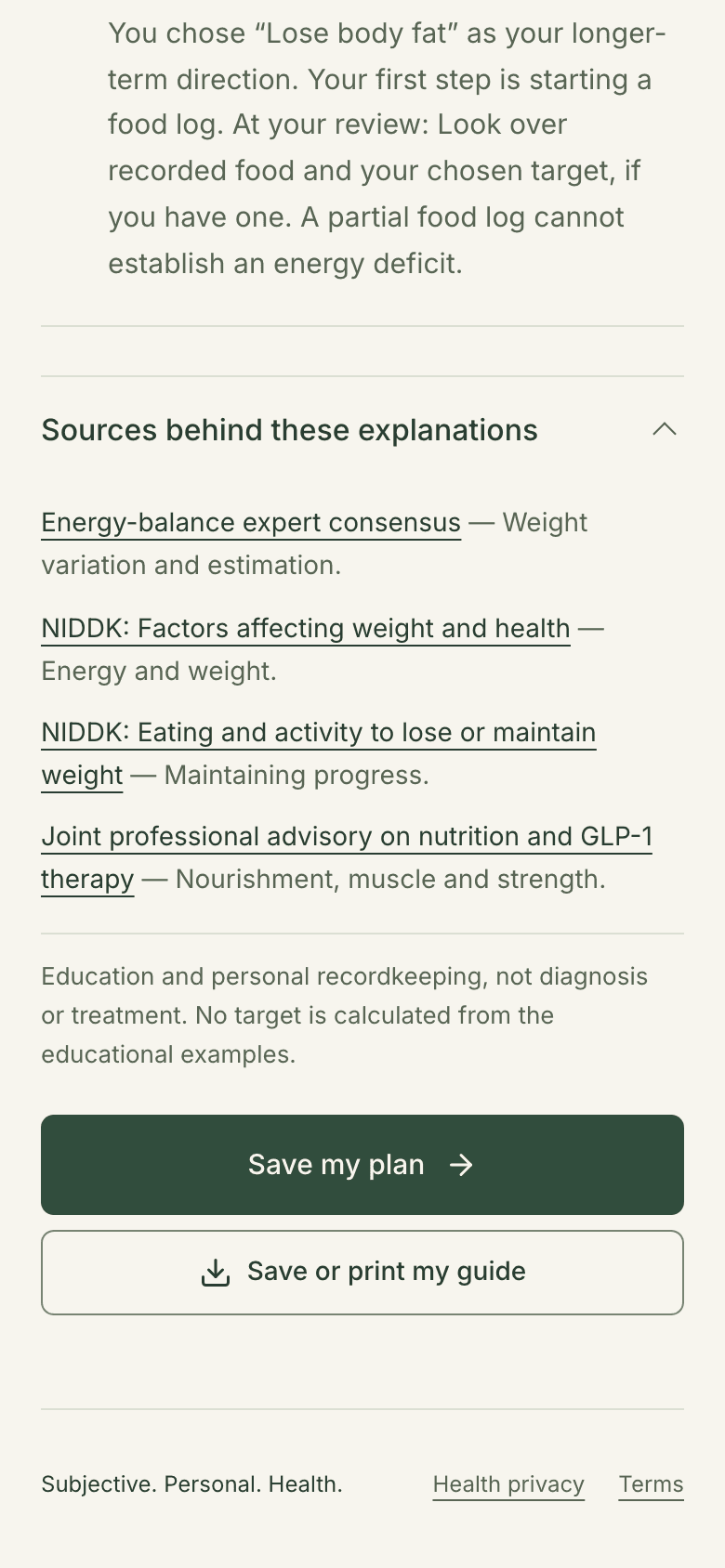
Your guide lists its sources, so you can check them.
- Energy-balance expert consensus
Informs: Weight variation and estimation.
- NIDDK: Factors affecting weight and health
Informs: Energy and weight.
- NIDDK: Eating and activity to lose or maintain weight
Informs: Maintaining progress.
- Joint professional advisory on nutrition and GLP-1 therapy
Informs: Nourishment, muscle and strength.
Education only.
These sources support the guide’s explanations. They don’t promise an outcome.
Real screens · sample data, not from a real person
What it won’t do
What Subjective won’t do.
Said plainly.
- Education and personal tracking. No diagnosis, prescribing, or treatment.
- Subjective is a personal wellness tool for adults in the U.S. It does not provide diagnosis, prescriptions, treatment decisions, or emergency care.
- Subjective does not choose a diet or medication dose for you.
- No final weight or deadline needed to begin.
- The service is not monitored for emergencies. In an emergency, call 911.